Why Is the Needle Hitting the Plate on a Designer SE?
A Designer SE needle hitting the plate often means the needle is bent, installed incorrectly, or no longer aligned with the selected stitch. Stop sewing, turn the machine off, and check the needle and settings before trying another stitch.
On this page (8 sections)
- What should you check first when a Designer SE needle hits the plate?
- Could the selected stitch be causing the strike?
- Can a loose needle plate cause the needle to hit?
- Which other problems can shift the needle into the plate?
- When should you stop and arrange service?
- Can cleaning or oiling fix a needle strike?
- Which references help with sewing machine troubleshooting?
- What is the safest way to decide what to do next?
A Designer SE needle hitting the plate often means the needle is bent, installed incorrectly, or out of line with the selected stitch. Stop sewing, turn the machine off, and check the needle and settings before trying again.
A needle strike can snap the needle or damage the plate. If the needle contacts the hook instead, see needle hitting the bobbin hook.
If you hear a new clunk, see a bent needle, or find a mark on the plate, don't keep stitching to see whether the problem goes away.
What should you check first when a Designer SE needle hits the plate?
Turn the Designer SE off and inspect the needle before changing any other setting. A bent, damaged, or incorrectly installed needle can move into the plate even when the stitch setting is suitable.
Raise the needle and presser foot using the machine's controls, then follow the manual's instructions for replacing the needle. Make sure the new needle is fully seated and oriented as the manual specifies, and tighten the clamp as directed.
Choose a fresh needle of a type and size suited to your fabric and thread. If the bobbin thread is appearing on top of embroidery, see bobbin thread showing on top.
For that symptom on a Radiance, see Radiance embroidery thread checks.
If the needle broke, remove every visible piece before sewing again; don't assume the entire tip landed on the floor.
For broader causes of needle damage, see why a needle keeps breaking when quilting. A strike and a break can share causes, but the Designer SE's stitch setting and needle path need their own checks.
Could the selected stitch be causing the strike?
Yes. A stitch that moves the needle side to side can send it beyond the opening in a straight-stitch plate.
Stop the machine and select a straight stitch before checking the needle path again.
Check the stitch width and any needle-position setting. If the stitch requires lateral needle movement, use the plate and presser foot specified in the Designer SE manual; don't force a wide stitch through a narrow straight-stitch opening.
Check that the presser foot matches the selected stitch, too. A foot with a small or misplaced opening can obstruct the needle even if the plate is right.
If you aren't sure which plate suits your sewing, our guide to quilting machine plate types and uses explains how openings differ by task. Follow the Designer SE manual to confirm which option fits your machine.
How do you check the needle path safely?
With the machine off, turn the handwheel only as the manual directs and watch the needle approach the opening. Keep your fingers away from the needle and stop if it touches the plate or foot.
Don't use the foot pedal to test a suspected alignment problem. A powered strike can break the needle before you have time to react.
If the needle clears the opening with the straight stitch but strikes when you select another stitch, stop and check the required plate, foot, and stitch settings. If it strikes with a straight stitch too, leave the machine off and arrange service.
Can a loose needle plate cause the needle to hit?
A loose or shifted plate can contribute to a strike, but it isn't the only possible cause. With the machine off, check whether the plate moves or sits unevenly, and inspect its screws for looseness.
Don't remove the plate while the machine is powered, and don't overtighten its screws. Use the correct tool and the manual's instructions; if a screw is damaged or the plate won't sit flat, have a technician inspect it.
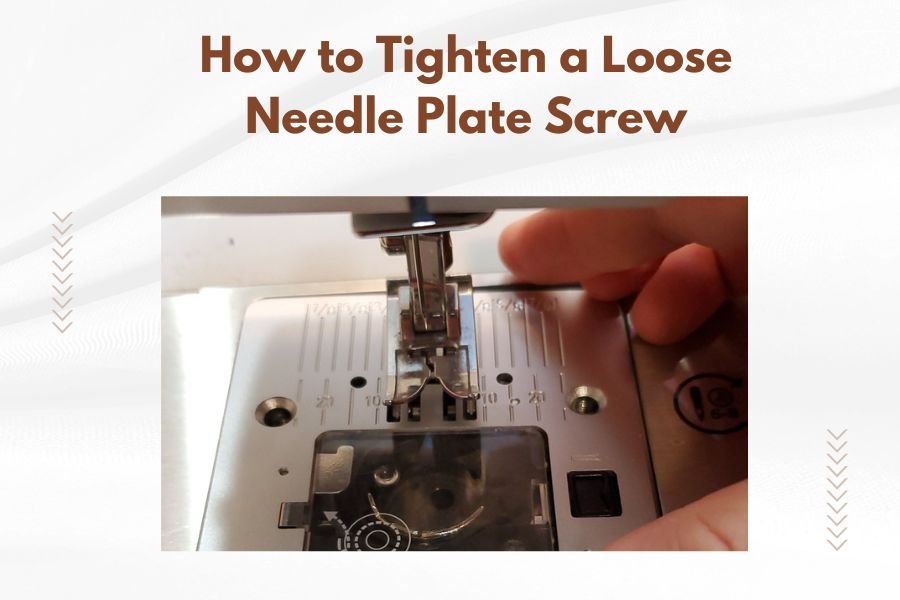
For a careful screw check, follow how to tighten a loose needle plate screw. Tightening won't solve a bent needle or incorrect stitch selection, so check those causes as well.
Which other problems can shift the needle into the plate?
A damaged needle, an obstructed needle area, or machine timing problems can all affect the needle's path. Start with visible, user-checkable issues and stop if the machine still strikes after those are addressed.
Look for thread or lint packed near the needle bar or plate opening, but clean only as the manual allows. If the needle-bar screw will not hold because its threads are stripped, see stripped needle-bar screw repair.
Don't push a tool into the mechanism or move internal parts to change alignment.
A recent needle change is a useful clue. Recheck that the needle is fully inserted, facing the correct way, and secured; use the manual's steps rather than guessing from another machine model.
If the machine was jammed, dropped, or struck the needle against a pin, it may need professional attention. Repeated contact with the plate is reason to stop, not a condition to sew through.
When should you stop and arrange service?
Stop and seek service if a correctly installed needle still hits the plate with the correct straight stitch and foot. The machine may need an adjustment that the manual does not treat as routine user maintenance.
Also stop if the handwheel feels stuck, the needle bar looks crooked, the plate is visibly damaged, or the machine makes a new grinding or clunking sound. Don't bend parts back or keep replacing needles to compensate for an unexplained strike.
A different machine can have a different repair path. For comparison, read why a Singer HD6805C needle hits the plate, but use Designer SE instructions for your own machine.
Can cleaning or oiling fix a needle strike?
Cleaning may remove lint that blocks the needle area, but oiling won't correct a bent needle or a stitch and plate mismatch. Follow the Designer SE manual for which areas you may clean or oil.
If you see packed lint around the feed dogs or plate, turn the machine off and remove only the parts the manual says you can remove. If fabric is trapped, follow steps for fabric stuck in feed dogs before sewing again.
Use the recommended brush or cleaning method, then reinstall the plate carefully.
Don't add oil unless the manual calls for it and identifies the correct points. For general maintenance steps, see how to oil a sewing machine.
Which references help with sewing machine troubleshooting?
A general sewing reference can help you review needle installation and basic machine steps. It can't diagnose internal timing, so use the Designer SE manual for machine-specific instructions.
Alison Smith's The Sewing Book covers more than 300 sewing techniques, including tools, materials, seams, and hems.
The book supports general learning; it doesn't replace the Designer SE manual or a technician when the needle strikes the plate.
For quilt projects after the machine is running correctly, All-Star Quilts of Valor brings together 25 patriotic quilt patterns from several designers.
Choose a project only after the machine sews safely. A pattern book won't resolve a strike or tell you which plate your Designer SE needs.
Encyclopedia of Classic Quilt Patterns includes more than 101 projects, with guidance that ranges from quick piecing to rotary cutting.
Use its project ideas as a next step, not as a repair guide. Stop sewing if the needle still contacts the plate.
What is the safest way to decide what to do next?
Replace and correctly install the needle, select a compatible straight stitch, and check the foot and plate before sewing again. If the needle still touches the plate, leave the machine off and arrange service.
A loose plate calls for a careful screw check; a wrong stitch calls for the correct plate and foot; a strike that persists after those checks calls for a technician. Follow the Designer SE manual whenever its instructions differ from general advice.
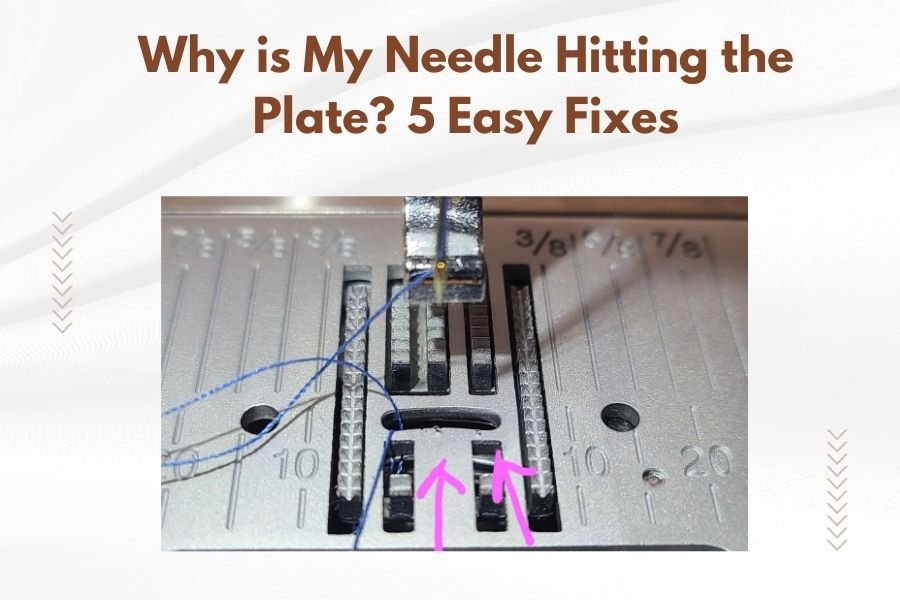
For other common causes and basic fixes, read why a needle is hitting the plate and 5 easy fixes. Use that overview alongside the Designer SE manual, and stop if the needle path remains unclear.
Frequently asked questions
Why is my Designer SE needle hitting the plate?
A Designer SE needle can hit the plate if it is bent, not fully inserted, installed the wrong way, or mismatched with the selected stitch. Stop sewing, turn off the machine, and inspect the needle and stitch settings.
If the needle still strikes after a careful reset, stop and arrange service.
Can I keep sewing if the needle only touches the plate sometimes?
No. Even an occasional strike can break the needle, damage the plate, or affect the machine's timing.
Turn the machine off and check the needle, presser foot, stitch selection, and plate seating first.
If the needle path still looks wrong, don't run the machine until it has been checked.
Should I loosen the needle plate to fix a needle strike?
Only check the plate screws if the plate is visibly loose, and follow the Designer SE manual for removal or tightening. A loose plate may shift, but tightening it won't correct a bent needle, incorrect installation, or a stitch setting that sends the needle outside the opening.
When should I take a Designer SE in for service?
Arrange service if a straight, correctly installed needle still strikes the plate with a compatible straight stitch, or if you hear unusual mechanical noise or see damaged parts. Repeated strikes can worsen damage, so avoid testing the machine with more sewing until a qualified technician checks it.