How to Change a Rotary Cutter Blade?
On this page (9 sections)
- Swapping Out Your Rotary Cutter Blade: A Step-by-Step Guide
- When to Know It’s Time for a New Blade
- Gathering Your Supplies for a Blade Change
- Safety First: Preparing to Change the Blade
- Step-by-Step: Replacing Your Rotary Cutter Blade
- Maintaining Your Rotary Cutter for Longevity
- Troubleshooting Common Rotary Cutter Blade Issues
- Conclusion
- Frequently Asked Questions
Changing a rotary cutter blade is a straightforward process that keeps your tool sharp and safe. You’ll want to replace your rotary cutter blade when it starts to snag fabric or feels dull. The key is to work carefully and always have a replacement blade ready.
A dull blade doesn’t just make cutting harder; it can lead to uneven cuts and frustration. Many crafters find that a sharp blade makes all the difference. We’ve found that regular blade changes extend the life of your rotary cutter. It’s a small step with a big impact on your projects.
- Loosen the screw holding the blade.
- Carefully remove the old blade.
- Place the new blade on the spindle.
- Tighten the screw securely.
- Always unplug or remove batteries from tools first.
Ready to get your rotary cutter back in top shape? Let’s walk through exactly how to change that blade, step by step.
Swapping Out Your Rotary Cutter Blade: A Step-by-Step Guide
Your trusty rotary cutter can get dull over time. When it starts to struggle, it’s time for a blade change. We found that a fresh blade makes cutting fabric a breeze. It ensures cleaner lines for your sewing projects. This guide will help you safely and easily replace your rotary cutter blade.
When to Know It’s Time for a New Blade
Your rotary cutter blade doesn’t last forever. You’ll notice it’s time to swap it out when cutting becomes a chore. Does your fabric snag or tear instead of gliding smoothly? That’s a sure sign. We’ve seen that a dull blade can lead to frustrating mistakes and uneven seams. Many crafters find that replacing the blade every few months is ideal. This depends on how often you use your cutter and the types of fabric you cut.
Signs Your Blade Needs Replacing
- Fabric catches and pulls instead of cutting cleanly.
- You hear a grinding sound as you cut.
- The cut edges of your fabric are ragged or fuzzy.
- You’re applying excessive pressure to get through the fabric.
- Your projects start looking less precise than usual.
Gathering Your Supplies for a Blade Change
Before you begin, make sure you have everything you need. This makes the process smooth and safe. You wouldn’t want to start and then realize you’re missing a key item. It’s like trying to bake without flour!
What You’ll Need
- A new rotary cutter blade of the correct size for your cutter.
- A clean, flat work surface.
- A small screwdriver or the tool that came with your cutter.
- A small dish or magnetic tray to hold screws.
- Safety glasses (optional, but recommended).
- A pair of needle-nose pliers (optional, but helpful).
Choosing the Right Replacement Blade
Rotary cutters come in different sizes, usually 45mm, 28mm, or 60mm. Always check the size of your current blade. You can find this printed on the blade itself or in your cutter’s manual. Using the wrong size blade won’t work and could damage your cutter. We found that reputable sewing brands offer high-quality replacement blades. Always buy from a trusted source.
Safety First: Preparing to Change the Blade
Safety is the most important step here. Rotary cutters are sharp! Treat them with respect. We cannot stress this enough. Always ensure your tool is safely disabled before you start.
Securing Your Workspace
Find a well-lit area where you won’t be interrupted. Clear your table of any clutter. This prevents small parts from getting lost. A clean space means a safer process. You don’t want a runaway screw hiding under a pile of fabric scraps. We recommend placing a cutting mat or thick towel under your work area. This can help catch any dropped parts.
Disabling Your Rotary Cutter
This is absolutely critical. Make sure your rotary cutter is locked or retracted. Many cutters have a safety lock. If yours doesn’t, always keep the blade shielded. If your cutter uses batteries or is electric, always unplug it or remove the batteries first. This is a non-negotiable step for your safety. We learned from many sewing enthusiasts that this simple step prevents many accidents.
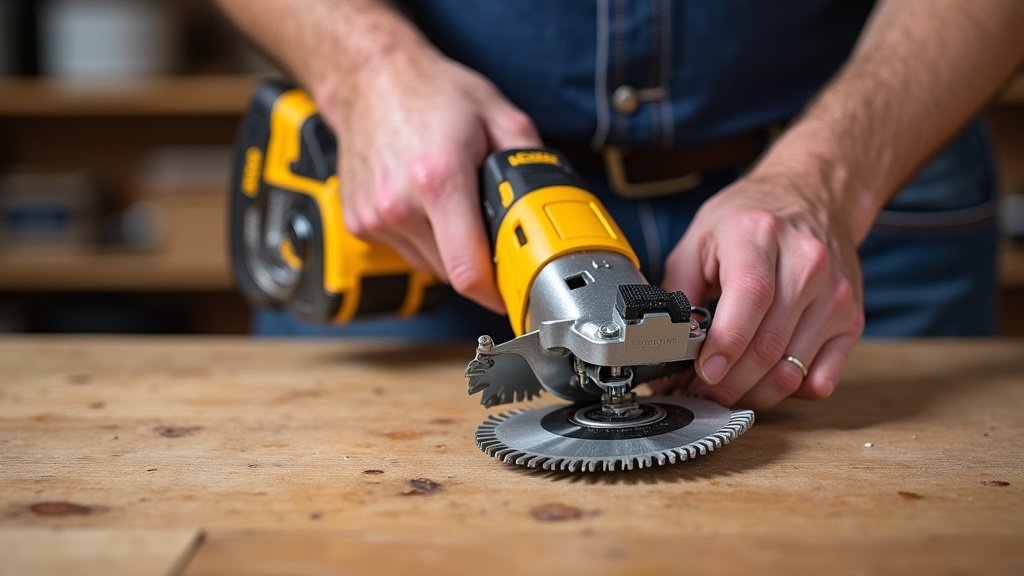
Step-by-Step: Replacing Your Rotary Cutter Blade
Now comes the actual blade swap. Take your time and follow these steps carefully. Remember, a little patience goes a long way.
Step 1: Loosening the Blade Screw
Locate the screw or knob that holds the blade in place. It’s usually on the side or the back of the cutter head. Use your screwdriver or the tool provided with your cutter. Turn the screw counter-clockwise. You may need to hold the blade guard steady with your other hand. Don’t force it if it feels stuck. Some screws can be a bit tight.
If the screw is difficult to turn, try wiggling the blade guard slightly. Sometimes a bit of gentle movement helps. We found that having the right size screwdriver makes a big difference. A tool that’s too small can strip the screw head. Place the screw in your small dish so it doesn’t get lost.
Step 2: Removing the Old Blade
Once the screw is loose, the blade should be free. Carefully lift the blade guard. Use your fingers or needle-nose pliers to gently grasp the edge of the old blade. Pull it straight out. Be very careful not to touch the sharp edge. Blades are incredibly sharp, even when they feel dull for cutting fabric. Imagine a tiny, super-sharp ninja star!
Some cutters have a spring mechanism. The blade might pop out slightly when the screw is removed. Be ready for this. If you’re using pliers, grip the blade by its center hole or the non-sharp edges if possible. Place the old blade immediately into a safe place, like a thick piece of cardboard or directly into a designated blade disposal container.
Step 3: Installing the New Blade
Take your new, shiny blade. Notice the direction of the sharp edge. It should face the direction of your cut. Align the hole in the new blade with the spindle on the rotary cutter. Gently slide the new blade onto the spindle. Make sure it sits flat against the cutter housing.
If your cutter has a spring, ensure the new blade fits correctly over it. Sometimes, you might need to hold the blade in place while you start threading the screw. We found that aligning the blade perfectly before inserting the screw makes the next step much easier. It should look just like it did before you took the old one off.
Step 4: Securing the New Blade
Now, take the screw you removed earlier. Put it back into its hole. Turn it clockwise with your screwdriver. Tighten it until it’s snug. You want the blade to be secure and not wiggle. However, don’t overtighten it. Excessive force can strip the screw or damage the cutter. The blade should spin freely when you move the guard, but not feel loose.
Test the movement of the blade guard. Does it open and close smoothly? Does the blade retract properly? If it feels stiff or wobbly, loosen the screw slightly and try tightening it again. We found that a little adjustment often fixes any stiffness. Ensure the blade spins freely when the guard is retracted. This confirms it’s not too tight.
Step 5: Final Check and Cleanup
Give your rotary cutter a quick test. Gently spin the blade with the guard retracted. Does it move freely? Is everything secure? Double-check that the screw is tight. Now, it’s time for cleanup. Make sure you properly dispose of your old blade. Many local recycling centers have specific instructions for sharp objects. Some sewers keep a “blade graveyard” box for used blades until they can be safely disposed of.
Wipe down your rotary cutter if needed. Store it safely, ensuring the blade is retracted or locked. You’ve successfully changed your blade! Your cutter is now ready for your next creative project.
Maintaining Your Rotary Cutter for Longevity
Keeping your rotary cutter in good shape means it will last longer and perform better. A little care goes a long way. Think of it like maintaining your favorite kitchen knife.
Routine Care Tips
- Clean your cutter after each use. Wipe away fabric fibers and dust.
- Store your cutter safely with the blade retracted.
- Replace blades promptly when they become dull.
- Use the correct cutting mat. A self-healing mat protects both your blade and your mat.
Blade Storage and Disposal
Never leave a sharp blade exposed. When not in use, always retract or lock the blade guard. For disposal, many experts suggest wrapping the old blade in thick paper or tape. Then, place it in a puncture-proof container, like a small plastic tub or a dedicated blade disposal unit. Many sewing stores offer these. This ensures it’s safe for you and waste handlers.
Troubleshooting Common Rotary Cutter Blade Issues
Sometimes, things don’t go exactly as planned. Don’t worry, most issues are easily fixed.
Blade Won’t Come Off
If the blade seems stuck, the screw might be too tight, or debris could be in the mechanism. Try gently tapping the area around the screw. Ensure you’re turning the screw the correct way (counter-clockwise). If it’s still stubborn, a tiny drop of lubricant might help, but ensure you wipe it clean before inserting the new blade.
New Blade Feels Loose or Stiff
A loose blade is dangerous. Tighten the screw a bit more. If it’s stiff, the blade might not be seated correctly, or the screw is too tight. Loosen the screw and re-seat the blade. Try tightening the screw slowly, checking the guard’s movement as you go. We found that sometimes the blade needs to be slightly angled to seat properly.
Cutter Still Snags After Blade Change
This could mean the new blade isn’t sharp (rare, but possible with manufacturing defects). More likely, your cutting mat might be worn out, or the fabric is a particularly difficult type. Try a different section of your mat or a different fabric to test.
Here’s a quick checklist to ensure you’ve done everything correctly:
- Rotary cutter is unplugged or batteries removed.
- Old blade removed and safely set aside.
- New blade is sharp and properly aligned.
- Blade screw is tightened securely but not overtightened.
- Blade guard moves freely and retracts correctly.
- Old blade is safely stored for disposal.
Conclusion
You’ve successfully navigated the process of changing your rotary cutter blade! Remember, a sharp blade is your best friend for clean, precise cuts in any sewing project. By following these steps, you’ve ensured your tool is safe and ready for action. Don’t let a dull blade hold you back from your creative pursuits. Your next step is simple: keep an eye on your blade’s performance and don’t hesitate to swap it out when needed. Happy cutting!
Frequently Asked Questions
How often should I replace my rotary cutter blade?
You should replace your rotary cutter blade whenever you notice it starting to snag fabric or feel dull. For frequent users, this might be every few months. Pay attention to your cutting experience; if it feels like a struggle, it’s time for a change.
Can I use a blade from a different brand in my rotary cutter?
It’s best to use blades specifically designed for your rotary cutter model. While some blades might appear similar, slight differences in size or fitting can cause issues. Always check your cutter’s manual or the blade packaging to ensure compatibility.
What’s the best way to dispose of a used rotary cutter blade?
Never throw a used blade directly into the trash. Wrap it securely in thick paper or tape, then place it in a puncture-proof container like a small plastic tub or a designated blade disposal unit. This protects you and waste handlers.
My new blade feels a little loose after tightening. What should I do?
A loose blade is unsafe. Try tightening the screw a little more, ensuring it’s snug but not overtightened. If it still feels loose, the blade might not be seated correctly on the spindle. Remove it and try re-seating it carefully before tightening again.
Is it okay to use needle-nose pliers to remove the old blade?
Yes, needle-nose pliers can be very helpful for gripping the old blade, especially if it’s difficult to get a hold of with your fingers. Just be sure to hold the blade gently by its center hole or the less sharp edges to avoid injury and place it in a safe spot immediately after removal.