
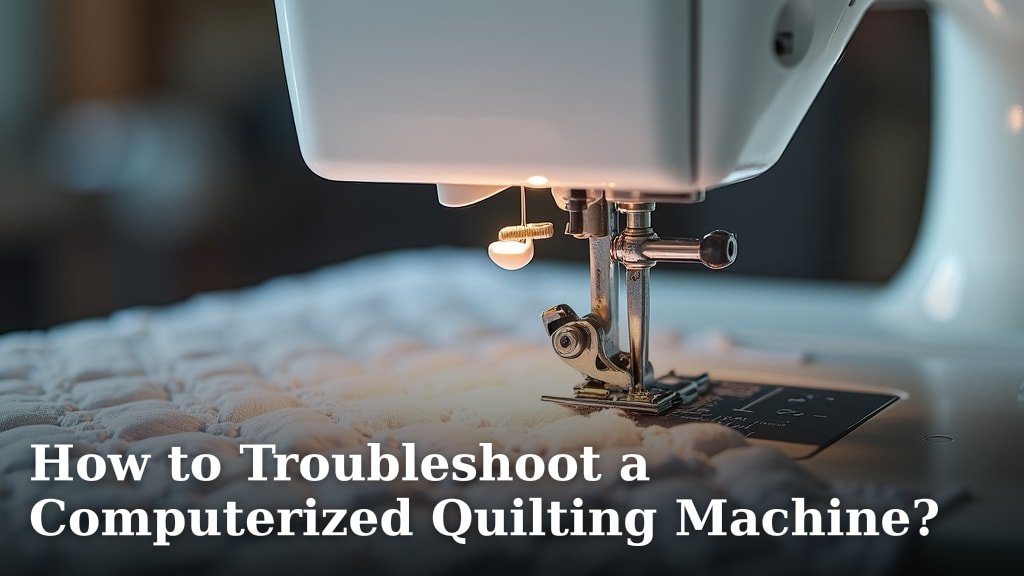
Troubleshooting a computerized quilting machine often means addressing software glitches, mechanical issues, or connectivity problems. You can often resolve common issues by restarting your machine and computer, checking your cable connections, and ensuring your software is up to date. Learning these basic steps can save you a lot of frustration and downtime.
Many quilters find that routine maintenance and understanding common error messages are key to smooth operation. Keeping your machine clean and your software current can prevent many problems before they even start. We’ve researched common issues and found that a little knowledge goes a long way in keeping your creative projects moving forward.
- Restart your machine and computer.
- Check all cable connections securely.
- Ensure your quilting software is updated.
- Clean your machine regularly.
- Consult your machine’s manual for error codes.
Ready to get your computerized quilting machine back in perfect working order? Let’s walk through the most common troubleshooting steps and how to fix them, so you can get back to creating beautiful quilts.
Getting Your Computerized Quilter Back on Track
When your computerized quilting machine acts up, it can feel like a creative roadblock. Don’t worry, most issues are solvable with a little patience and the right approach. We’ve researched common problems and found that a systematic troubleshooting process often gets you back to stitching beautiful patterns quickly.
Common Computerized Quilting Machine Problems and Solutions
Software Glitches: The Digital Hiccups
Software issues are probably the most frequent culprits when your machine behaves unexpectedly. Think of it like your computer freezing or an app crashing – it’s usually a temporary glitch. We’ve found that the first step for many software problems is a simple reboot.
Restarting is Key
Did you try turning it off and on again? This classic IT advice is surprisingly effective. Shut down your quilting machine completely. Then, power off your connected computer. Wait about 30 seconds before turning them back on. This clears temporary memory and can resolve many minor software conflicts. This simple step often clears out those tiny digital gremlins that cause unexpected behavior.
Update Your Software Regularly
Manufacturers release software updates to fix bugs and improve performance. Outdated software can lead to compatibility issues and errors. Check your quilting machine manufacturer’s website or the software’s help menu for updates. Installing the latest version is like giving your machine a fresh coat of paint – it can fix underlying problems you didn’t even know were there. Many users report fewer errors after updating.
Checking for Compatibility
Make sure your quilting software is compatible with your computer’s operating system. Sometimes, a new Windows or macOS update can cause older software to act strangely. If you recently updated your computer’s OS, check if your quilting software provider has released a compatible version. This is a common pitfall that many quilters encounter.
Mechanical and Hardware Issues: Physical Puzzles
Sometimes, the problem isn’t with the digital side of things. It could be a physical part that’s causing the trouble. These issues might involve skipped stitches, strange noises, or the machine not moving correctly.
Inspect Your Connections
Loose or damaged cables can cause all sorts of problems. Check the USB cable connecting your computer to your quilting machine. Ensure it’s securely plugged in at both ends. If you have an older machine, you might be using a serial port connection; check that cable too. A loose connection is like a tiny break in communication, making your machine think commands are missing or garbled.
Cleanliness Matters: Your Machine’s Spa Day
Dust, lint, and thread fragments can build up over time. This debris can interfere with moving parts, sensors, and even electrical connections. Regularly clean your machine according to the manufacturer’s instructions. Pay close attention to the bobbin area, the feed dogs, and any sensor locations. A clean machine runs smoother and is less prone to mechanical errors. Many experts recommend a thorough cleaning monthly.
Check Your Thread and Bobbin
Believe it or not, simple things like tangled thread or an improperly wound bobbin can cause major issues. Ensure your thread isn’t snagged or knotted. Check that your bobbin is inserted correctly and that the thread is feeding smoothly. A bird’s nest of thread under the needle plate is a clear sign something is amiss. We found that proper thread tension is also vital for consistent stitch quality.
Needle Issues
A bent, dull, or incorrect needle can cause skipped stitches, thread breaks, and poor stitch quality. Always use the correct type and size of needle for your fabric and thread. Replace needles regularly – even if they don’t look obviously damaged. A worn-out needle can create subtle problems that are hard to spot initially. Most sewing machine technicians suggest changing needles every 6-8 hours of sewing time.
Connectivity Problems: The Communication Breakdown
Your quilting machine needs to talk to your computer to receive designs and instructions. When that communication line is fuzzy, you’ll run into trouble.
Verify USB Port Functionality
Sometimes, a USB port on your computer can malfunction. Try plugging your quilting machine into a different USB port. If you’re using a USB hub, try connecting the machine directly to the computer. This helps rule out a faulty port as the source of the problem.
Restart Your Quilting Software’s Connection Service
Some quilting software has a background service or driver that manages the connection. If this service stops responding, your machine might appear offline or unresponsive. Check your software’s help or troubleshooting section for instructions on how to restart this specific service. This is often a quick fix for connection dropouts.
Understanding Error Codes: Your Machine’s Way of Talking
When something goes wrong, your computerized quilting machine often displays an error code or message. These codes are like a secret language that can tell you exactly what the problem is.
Consult Your Manual
Your machine’s user manual is your best friend when it comes to error codes. It will have a section dedicated to troubleshooting and explaining what each code means. Don’t underestimate the power of this document; it’s written by the people who know your machine best. If you’ve lost your physical copy, check the manufacturer’s website for a downloadable PDF version.
Common Error Message Categories
Error messages often fall into categories like “communication error,” “mechanical fault,” “sensor error,” or “design file error.” Knowing the general category can help you narrow down your search for a solution. For instance, a communication error likely points to cable or software issues, while a mechanical fault suggests a physical problem with the machine itself.
When to Seek Professional Help
If you’ve tried these steps and your machine is still not working correctly, it might be time to call in the experts. Persistent mechanical issues, electrical problems, or complex software conflicts are often best handled by a qualified technician. Don’t hesitate to reach out to the manufacturer’s support or a local authorized repair service.
Preventative Maintenance Checklist
Keeping your machine in top condition can prevent many issues before they arise. Here’s a quick checklist to help you stay on top of maintenance:
- Dust and lint removal after each major project.
- Check and tighten any loose screws or parts monthly.
- Clean the bobbin area and needle plate weekly.
- Update software and firmware as soon as updates are released.
- Inspect thread paths for wear or damage every few months.
- Test stitch quality on scrap fabric before starting a new project.
Conclusion
You’ve learned that troubleshooting your computerized quilting machine often comes down to a few key areas: software, hardware, and connections. By systematically checking these components, you can often resolve issues yourself and get back to your creative projects. Remember that regular maintenance, like cleaning and software updates, is your best defense against future problems. If you ever feel overwhelmed, don’t hesitate to consult your manual or seek professional help. Your machine is a tool for your creativity, and keeping it running smoothly means more time quilting and less time worrying.
Frequently Asked Questions
My computerized quilting machine isn’t responding to any commands from my computer. What should I do first?
Start with the most basic steps. First, completely shut down both your quilting machine and your computer, then restart them after a brief pause. Next, carefully check all cable connections to ensure they are secure at both ends. This often resolves communication hiccups.
I’m getting an error code I don’t recognize. Where can I find out what it means?
Your machine’s user manual is your best resource for understanding error codes. It will typically have a dedicated section explaining common messages and their solutions. If you can’t find your physical manual, search your manufacturer’s website for a downloadable PDF version.
How often should I update my quilting software, and why is it important?
You should update your quilting software whenever a new version is released. Manufacturers provide updates to fix bugs, improve performance, and enhance compatibility. Running outdated software can lead to unexpected errors and issues that a simple update could prevent.
What is the most common reason for skipped stitches on a computerized quilting machine?
Skipped stitches can often be caused by simple mechanical issues. Always check that your Skipped stitches can often be caused by simple mechanical issues; learn how to fix skipped stitches on a quilting machine.needle is the correct type and size for your fabric and thread, and ensure it’s not bent or dull. Also, confirm your bobbin is wound correctly and inserted properly, and that your thread isn’t tangled.
My machine is making unusual noises. What could be the cause?
Unusual noises usually point to a mechanical issue. First, ensure your machine is clean and free of lint or thread buildup, especially in the bobbin area and around the feed dogs. If the noise persists after cleaning, inspect moving parts for any obstructions or signs of wear, and check if any components are loose.
