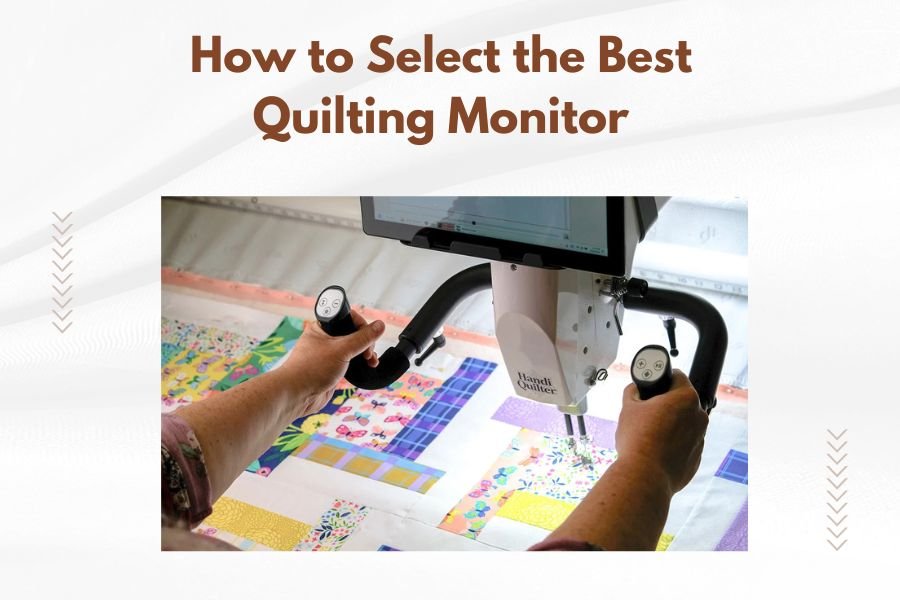
The best quilting monitor should have at least a 24-inch screen, accurate color reproduction, and adjustable height for comfortable viewing during long quilting sessions.
You’ll want to prioritize monitors with IPS panels, low blue light features, and multiple connectivity options to reduce eye strain and connect your quilting software seamlessly.
Why Your Monitor Choice Matters for Quilting
Picking the right monitor can make or break your quilting experience. You’re staring at patterns, choosing colors, and designing layouts for hours. A poor screen leads to eye fatigue, wrong color choices, and neck pain.
Think of your monitor as your quilting workspace window. Would you want a tiny, dim window when you’re creating beautiful art? I didn’t think so.
Screen Size: Finding Your Sweet Spot
Size matters when you’re working with detailed quilt patterns. You need enough space to see your entire design without constantly scrolling.
24-Inch Monitors: The Starting Point
A 24-inch monitor gives you decent workspace for most quilting software. You can view pattern pieces clearly and have room for toolbars. It fits on most desks without taking over your sewing space.
27-Inch Monitors: The Sweet Spot
This size hits the perfect balance. You get more screen real estate for complex patterns. Multiple windows can stay open side by side. Your eyes don’t strain from squinting at tiny details.
32-Inch and Larger: For Serious Quilters
Big screens work great if you have the desk space. You can see entire quilt layouts at once. But they cost more and might overwhelm smaller workspaces.
Resolution: Getting Crystal Clear Details
Higher resolution means sharper images and more space for your quilting software. Your patterns will look crisp and professional.
1080p Full HD
This works fine for basic quilting tasks. Pattern pieces show up clearly on 24-inch screens. It’s budget-friendly and widely available.
1440p Quad HD
This gives you much more detail and workspace. Colors look richer. Text stays sharp even when you zoom in on intricate patterns. It’s perfect for 27-inch monitors.
4K Ultra HD
You get incredible detail and tons of workspace. But it requires a powerful computer to run smoothly. Many quilting software programs don’t need this much resolution.
Panel Technology: IPS vs VA vs TN
The panel type affects how colors look and how well you can see the screen from different angles.
IPS Panels: Best for Color Work
IPS monitors show accurate colors from any viewing angle. This matters when you’re choosing fabric colors or sharing designs with others. Colors stay consistent whether you’re sitting straight or leaning to the side.
VA Panels: Good Contrast
VA panels offer deeper blacks and good contrast. They work well for general quilting tasks. But colors can shift slightly when viewed from the side.
TN Panels: Budget Option
TN panels cost less but show less accurate colors. They’re fine for basic pattern work but not ideal for color-sensitive quilting projects.
Color Accuracy: Getting Your Fabrics Right
Wrong colors on screen lead to fabric choices you’ll regret. You want your digital design to match your finished quilt as closely as possible.
sRGB Color Gamut Coverage
Look for monitors with at least 95% sRGB coverage. This ensures your screen can display the full range of colors your quilting software uses. Most fabric photos online use sRGB color space.
Color Calibration Features
Some monitors come pre-calibrated from the factory. Others include software to help you adjust colors. This keeps your screen showing true colors over time.
Eye Comfort Features
Long quilting sessions can strain your eyes. The right monitor features help you work comfortably for hours.
Blue Light Filtering
Blue light can cause eye fatigue and disrupt sleep. Many monitors now include blue light filters. You can adjust the setting based on the time of day and your comfort level.
Flicker-Free Technology
Screen flicker causes headaches and eye strain. Modern monitors use DC dimming to eliminate flicker. Your eyes will thank you during those late-night quilting sessions.
Brightness Adjustment
Your monitor should match your room lighting. Too bright strains your eyes. Too dim makes you squint. Look for monitors with easy brightness controls.
Ergonomic Considerations
Your neck and back need support during long design sessions. The right monitor stand makes all the difference.
Height Adjustment
Your screen’s top should sit at or slightly below eye level. This keeps your neck in a neutral position. Adjustable stands let you find the perfect height.
Tilt and Swivel Options
You should be able to angle your screen to avoid glare. Swivel features help when you’re sharing your design with others. Some monitors even rotate to portrait mode for long patterns.
VESA Mount Compatibility
VESA mounts give you more positioning options. You can use monitor arms for better ergonomics. This frees up desk space for your quilting supplies too.
Connectivity Options
Your monitor needs to connect easily to your computer and other devices. Multiple ports give you flexibility.
HDMI Ports
HDMI works with most computers and tablets. Look for monitors with multiple HDMI ports. This lets you connect different devices without constantly unplugging cables.
USB-C Connectivity
USB-C can carry video, power, and data through one cable. If you use a modern laptop, this simplifies your setup. Some monitors can even charge your laptop through USB-C.
USB Hub Features
Built-in USB ports let you connect quilting tools directly to your monitor. You can plug in design tablets, USB drives, or other accessories without reaching around to your computer.
Budget Considerations
Good quilting monitors don’t have to break the bank. You can find quality options at different price points.
Under $200: Basic But Functional
Budget monitors work fine for simple quilting tasks. You’ll get 1080p resolution and basic color reproduction. Features like adjustable stands might be limited.
$200-$400: Sweet Spot Range
This price range offers the best value for quilters. You get IPS panels, good color accuracy, and useful features like blue light filtering. Most quilters will be happy in this range.
$400+: Professional Features
High-end monitors offer superior color accuracy and build quality. They’re worth it if you sell quilts professionally or spend many hours designing daily.
Special Features for Quilters
Some monitor features are particularly useful for quilting software and design work.
Picture-in-Picture Mode
This lets you view multiple sources at once. You could have your quilting software open while watching tutorial videos. It’s like having two monitors in one.
Split Screen Functions
Built-in split screen modes help organize your workspace. You can have patterns on one side and color palettes on the other. Some monitors automatically snap windows into place.
Color Temperature Presets
Different presets work better for different tasks. You might use a cooler setting for pattern work and a warmer setting for color selection. Quick switching saves time.
Common Mistakes to Avoid
Don’t make these mistakes when choosing your quilting monitor. I’ve seen too many quilters regret these choices.
Going Too Small
A tiny monitor forces you to zoom in and out constantly. This slows down your work and causes eye strain. Invest in at least 24 inches if possible.
Ignoring Panel Type
TN panels might save money upfront but cost you in poor color accuracy. Spend a bit more for an IPS panel. Your fabric choices will be much better.
Skipping Ergonomics
A fixed monitor that’s too high or low will hurt your neck. Adjustable stands cost more but save you from pain later. Your body will thank you.
Setting Up Your New Monitor
Getting your new monitor set up correctly makes a big difference in your quilting experience.
Positioning Guidelines
Place your monitor about arm’s length away. The top of the screen should be at eye level or slightly below. This reduces neck strain during long design sessions.
Lighting Considerations
Avoid placing your monitor directly in front of or behind a window. Side lighting works best. Use blinds or curtains to control glare throughout the day.
Initial Calibration Steps
Adjust brightness to match your room lighting. Set color temperature to a comfortable level. Many monitors include preset modes for different types of work.
| Screen Size | Best For | Typical Price Range | Desk Space Needed |
|---|---|---|---|
| 24-inch | Basic quilting, small spaces | $150-$300 | Small to medium desk |
| 27-inch | Most quilters, good balance | $200-$450 | Medium to large desk |
| 32-inch+ | Professional quilters, complex designs | $350-$800 | Large desk required |
Conclusion
Choosing the best quilting monitor comes down to balancing your needs, space, and budget. Start with at least a 24-inch IPS monitor with 1080p resolution. Add features like blue light filtering and adjustable stands for comfort during long design sessions.
Remember that your monitor is an investment in your quilting hobby or business. A good screen will serve you well for years and make your design work much more enjoyable. Take time to consider how you’ll use it and what features matter most to your quilting style.
What’s the minimum screen size I should consider for quilting software?
A 24-inch monitor is the practical minimum for most quilting software. Anything smaller makes it difficult to see pattern details clearly and forces you to zoom in and out constantly, which slows down your work.
Do I need 4K resolution for quilting design work?
Most quilters don’t need 4K resolution. A 1440p monitor on a 27-inch screen provides excellent detail and workspace for quilting software. Save your money unless you’re doing professional design work with extremely detailed patterns.
How important is color accuracy for choosing quilting fabrics?
Color accuracy is very important when selecting fabrics online or designing color schemes. Look for monitors with at least 95% sRGB color coverage and IPS panels to ensure the colors you see on screen match your actual fabric choices.
Can I use a regular TV as a quilting monitor?
While possible, TVs aren’t ideal for quilting work. They’re optimized for viewing from a distance and may have input lag or poor text clarity. A proper computer monitor will give you much better results for detailed design work.
What’s the best way to reduce eye strain during long quilting sessions?
Use a monitor with blue light filtering, flicker-free technology, and adjustable brightness. Position the screen at eye level about arm’s length away. Take regular breaks using the 20-20-20 rule: every 20 minutes, look at something 20 feet away for 20 seconds.