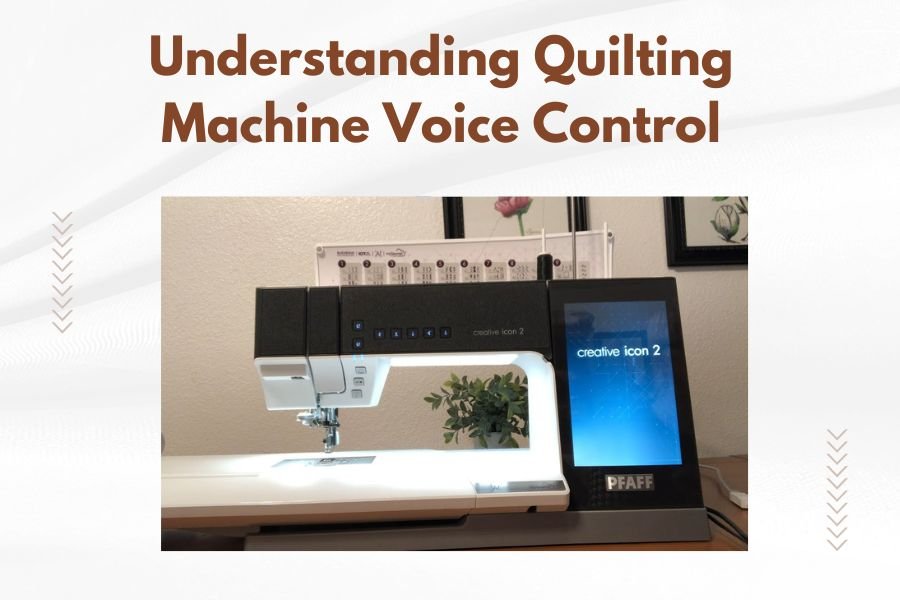
Quilting machine voice control lets you operate your quilting machine using spoken commands instead of manual buttons, making your sewing process hands-free and more efficient.
Voice control technology recognizes specific voice commands to start, stop, adjust speed, and change settings on compatible quilting machines without touching any controls.
What Is Voice Control in Quilting Machines
Voice control transforms how you interact with your quilting machine. Think of it like talking to your smartphone’s assistant, but for quilting.
You speak commands like “start quilting” or “slow down” and the machine responds immediately. This technology uses built-in microphones and speech recognition software to understand your words.
Most voice-controlled quilting machines can recognize 20 to 50 different commands. The machine processes your voice through its internal computer and translates words into machine actions.
How Voice Control Technology Works
The process starts when you speak into the machine’s microphone. The system converts your voice into digital signals that the machine’s processor can understand.
Advanced machines use noise filtering to separate your voice from background sounds. This prevents the machine from accidentally responding to conversations or TV noise.
Voice Recognition Process
The machine compares your spoken words against its stored command library. When it finds a match, it sends the appropriate signal to the machine’s motor or settings.
Most systems require a wake word like “quilter” or “machine” before giving commands. This prevents accidental activation during normal conversation.
Response Time and Accuracy
Quality voice control systems respond within one to two seconds. The accuracy rate for clear speech typically ranges from 85% to 95%.
Background noise, accent variations, and speaking speed can affect recognition accuracy. Most machines allow you to train the system to better understand your voice patterns.
Common Voice Commands for Quilting Machines
Standard voice commands cover the most frequent quilting actions you perform during a project.
Basic Operation Commands
- Start quilting
- Stop quilting
- Pause operation
- Resume quilting
- Emergency stop
Speed Control Commands
- Increase speed
- Decrease speed
- Maximum speed
- Minimum speed
- Speed level five (or any number)
Navigation Commands
- Move left
- Move right
- Move forward
- Move backward
- Return to start position
Benefits of Voice-Controlled Quilting
Voice control offers several practical advantages that can improve your quilting experience and workflow efficiency.
Hands-Free Operation
Your hands stay on your quilt fabric while controlling the machine. This lets you guide fabric smoothly without reaching for buttons or switches.
You maintain better fabric tension and positioning when both hands remain free for quilting tasks.
Improved Safety
Voice control reduces the risk of needle injuries from fumbling with controls while quilting. You can stop the machine instantly with voice commands if something goes wrong.
Emergency voice commands work faster than reaching for physical stop buttons during urgent situations.
Better Workflow Efficiency
Voice commands eliminate the interruption of stopping to adjust settings manually. This keeps your quilting rhythm consistent throughout your project.
Complex patterns flow more smoothly when you control speed and direction through voice rather than hand controls.
Limitations and Challenges
Voice control technology isn’t perfect and comes with some practical limitations you should understand.
Environmental Factors
Noisy quilting rooms can interfere with voice recognition accuracy. Air conditioners, televisions, or conversations nearby may cause false activations or missed commands.
Very quiet rooms sometimes work better, but this limits your ability to listen to music or chat while quilting.
Voice Clarity Requirements
You need to speak clearly and at consistent volume levels. Mumbling, whispering, or shouting reduces command accuracy.
Sore throats, colds, or voice changes can affect how well the machine recognizes your commands.
Learning Curve
Most quilters need several hours of practice to memorize voice commands and speak them naturally. The system requires patience during the initial learning phase.
Popular Quilting Machines with Voice Control
Several manufacturers now offer voice control features on their mid-range and high-end quilting machines.
Longarm Quilting Machines
Professional longarm machines often include voice control as a premium feature. These machines typically cost $15,000 to $35,000 and target serious quilters or businesses.
The larger workspace and complex controls on longarm machines make voice control particularly useful for maintaining quilting flow.
Domestic Quilting Machines
Some domestic machines now include basic voice control features. These systems usually offer fewer commands but cost significantly less than professional models.
Domestic voice control typically focuses on start/stop functions and speed adjustments rather than complex navigation commands.
Setting Up Voice Control
Proper setup ensures your voice control system works reliably and responds to your commands accurately.
Initial Calibration
Most machines require voice training during setup. You’ll repeat each command several times so the system learns your voice patterns and pronunciation.
Speak in your normal quilting voice during calibration. Don’t use an artificially loud or slow speaking style that you won’t maintain during actual quilting.
Microphone Positioning
Position yourself within the recommended distance from the machine’s microphone, usually 2 to 4 feet. Too close causes distortion, while too far reduces accuracy.
Face the microphone when giving commands. Side angles or speaking over your shoulder often reduces recognition success.
Environment Optimization
Test voice control in your actual quilting environment during setup. Different room acoustics affect performance compared to quiet test conditions.
Identify and minimize regular noise sources like fans, radios, or appliances that might interfere with voice recognition.
Troubleshooting Voice Control Issues
Common problems have straightforward solutions once you understand what causes voice recognition failures.
Commands Not Recognized
Speak more slowly and clearly if commands aren’t working. Many people rush through voice commands, which reduces accuracy.
Check that you’re using the exact command phrases programmed into your machine. Similar words or variations often don’t work.
False Activations
Adjust microphone sensitivity settings if the machine responds to background noise or conversations. Lower sensitivity reduces false activations but may require louder commands.
Some machines allow you to change the wake word if the default one gets triggered accidentally too often.
Calibration Problems
Re-run voice training if recognition accuracy drops over time. Voice changes from illness, aging, or seasonal allergies can affect stored voice patterns.
Multiple users may need separate voice profiles if different family members use the same machine.
Cost Considerations
Voice control adds significant cost to quilting machine purchases, but the price varies widely by manufacturer and feature complexity.
Entry-level voice control typically adds $500 to $1,500 to machine costs. Professional systems with full command sets can add $3,000 to $5,000.
Value Assessment
Consider how often you quilt and whether hands-free operation justifies the extra expense. Casual quilters may not benefit enough to warrant the cost increase.
Professional quilters or those with mobility limitations often find voice control worth the investment for improved efficiency and comfort.
Future of Voice Control in Quilting
Voice control technology continues improving as speech recognition software becomes more sophisticated and affordable.
Future systems will likely offer more natural conversation-style commands rather than rigid command phrases. Integration with smart home systems may allow voice control through devices like Alexa or Google Home.
Artificial Intelligence Integration
AI-powered voice control might learn your quilting patterns and suggest commands or automatically adjust settings based on your project type.
Smart systems could recognize fabric types through voice descriptions and recommend appropriate speed or tension settings.
Conclusion
Voice control represents a significant advancement in quilting machine technology that offers real benefits for dedicated quilters. While the technology has limitations and adds substantial cost, it provides genuine improvements in workflow efficiency and safety for those who can justify the investment.
The hands-free operation particularly benefits quilters working on complex projects or those who spend many hours at their machines. As the technology improves and costs decrease, voice control will likely become more common across different price ranges of quilting machines.
Before investing in voice-controlled quilting equipment, try to test the technology yourself to see if it matches your quilting style and environment. The learning curve and setup requirements mean voice control works better for some quilters than others.
Can voice control work with older quilting machines?
Most voice control systems are built into new machines and can’t be added to existing older models. Some third-party accessories claim to add voice control, but they typically offer limited functionality compared to integrated systems.
What happens if the voice control system stops working during quilting?
All voice-controlled quilting machines retain manual controls as backup systems. You can always switch to traditional button or touchscreen operation if voice recognition fails during a project.
Do I need special training to use voice-controlled quilting machines?
Most manufacturers provide training videos and documentation, but no formal training is required. The learning process typically takes a few hours of practice to memorize commands and develop consistent speaking patterns.
How accurate is voice control compared to manual controls?
Voice control accuracy ranges from 85% to 95% under good conditions, while manual controls work nearly 100% of the time. Voice systems work best when you speak clearly in quiet environments with minimal background noise.
Can multiple people use voice control on the same quilting machine?
Some advanced machines allow multiple voice profiles so different users can train the system for their individual voices. Basic systems typically work best when calibrated for one primary user’s voice patterns.