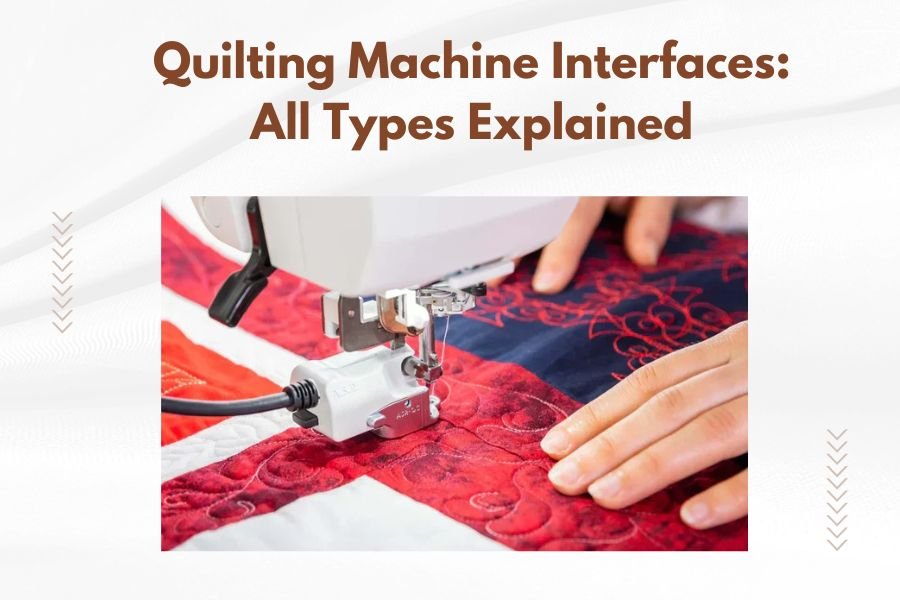
Quilting machine interfaces come in four main types: mechanical buttons, LCD touchscreens, LED displays, and computer connectivity options that control your machine’s functions.
The interface you choose affects how easily you can adjust settings, select patterns, and monitor your quilting progress during projects.
Ever felt confused by all those buttons and screens on modern quilting machines? You’re not alone. Today’s quilting machines offer amazing features, but their interfaces can feel overwhelming at first glance.
Let me walk you through each type of interface so you can pick the right machine for your quilting style. Whether you’re a beginner who wants simple controls or an advanced quilter craving high-tech features, understanding these interfaces will help you make the best choice.
Mechanical Button Interfaces
Mechanical interfaces use physical buttons, dials, and switches to control your quilting machine. These are the most traditional type you’ll find on entry-level and mid-range machines.
You’ll see clearly labeled buttons for basic functions like start/stop, speed control, and stitch selection. Many quilters love these because you can feel each button press and know exactly what you’ve selected.
Benefits of Mechanical Controls
Mechanical interfaces rarely break down. No screens to crack or software to freeze. You can operate them wearing gloves, which helps during long quilting sessions in cold rooms.
The learning curve stays gentle with mechanical controls. Each button does one thing, so you won’t accidentally change multiple settings at once.
Common Mechanical Features
- Speed adjustment dial or lever
- Pattern selection buttons or wheel
- Start/stop button
- Reverse or lock stitch button
- Thread tension dial
- Stitch length and width controls
Who Should Choose Mechanical Interfaces
New quilters often prefer mechanical controls because they’re straightforward and reliable. If you mainly work on simple projects or want a backup machine that won’t fail, mechanical interfaces make excellent choices.
LCD Touchscreen Interfaces
LCD touchscreens bring modern convenience to quilting machines. You’ll tap icons on a color display to select patterns, adjust settings, and view helpful guides.
These screens typically range from 3 inches on basic models up to 10 inches on high-end machines. The larger screens show more information and feel easier to use.
Advanced LCD Features
Many LCD interfaces include pattern preview windows where you can see exactly how your stitch will look before you sew. Some machines let you combine patterns or create custom sequences right on the screen.
Built-in tutorials appear on many LCD interfaces. These step-by-step guides help you learn new techniques without leaving your sewing space.
Navigation and Menu Systems
Most LCD interfaces organize features into menu categories like “Decorative Stitches,” “Utility Stitches,” and “Settings.” You’ll tap through menus to find specific options.
The best LCD systems use large, clear icons that make sense. Look for interfaces that let you access common functions with just one or two taps.
LCD Interface Drawbacks
Screens can break if you drop something on them or if the machine takes a hard bump. Replacement costs often run several hundred dollars.
Some quilters find touchscreens less reliable than buttons, especially when their fingers are slightly damp or they’re wearing certain fabrics.
LED Display Interfaces
LED displays combine mechanical buttons with digital readouts. You’ll use physical buttons to make selections, then see your choices displayed on a small LED or LCD screen.
These interfaces give you the reliability of mechanical controls plus the information clarity of digital displays. They’re popular on mid-range machines.
LED Display Advantages
You get clear feedback about your current settings without the complexity of full touchscreen menus. The displays show stitch numbers, settings values, and helpful symbols.
LED interfaces typically cost less to repair than full touchscreens. If the display breaks, you can often still use the machine with just the mechanical controls.
Information Display Types
- Current stitch pattern number
- Stitch length and width measurements
- Thread tension settings
- Speed settings
- Error messages and maintenance reminders
Best LED Interface Features
Look for LED displays with backlighting so you can read them in dim lighting. Some displays tilt or swivel, making them easier to see from different angles.
Computer Connectivity Options
Modern quilting machines often connect to computers, tablets, or smartphones through USB cables, Wi-Fi, or Bluetooth. This opens up exciting possibilities for pattern management and machine control.
You can download new patterns, update machine software, and sometimes control your machine remotely through companion apps.
USB Connectivity Features
USB ports let you load patterns from external drives or connect directly to your computer. Many machines can read common embroidery file formats when you plug in a USB stick.
Some quilting machines save your custom settings to USB drives, making it easy to back up your preferences or share them with friends.
Wireless Connection Benefits
Wi-Fi enabled machines can download pattern updates automatically. You’ll always have access to the latest designs without manual transfers.
Wireless connectivity often includes cloud storage options where you can save unlimited patterns and access them from anywhere.
Mobile App Integration
Quilting machine apps let you browse pattern libraries, customize designs, and send them directly to your machine. Some apps include stitch calculators and project planning tools.
Interface Comparison Table
| Interface Type | Best For | Price Range | Learning Curve |
|---|---|---|---|
| Mechanical | Beginners, Simple Projects | $200-800 | Easy |
| LCD Touchscreen | Advanced Features, Pattern Variety | $800-3000+ | Moderate |
| LED Display | Mid-level Users, Reliability | $400-1200 | Easy-Moderate |
| Computer Connected | Tech-savvy Users, Custom Patterns | $1000-5000+ | Moderate-Hard |
Choosing the Right Interface for Your Needs
Think about your current skill level and where you want to be in two years. A simple mechanical interface might feel perfect now, but will it limit you later?
Consider how often you’ll use advanced features. If you mainly quilt straight lines and simple patterns, paying extra for touchscreen capabilities might not make sense.
Budget Considerations
Mechanical interfaces cost the least upfront and have lower maintenance costs. Touchscreen machines offer more features but need careful handling and occasional software updates.
Factor in potential repair costs when comparing interfaces. A $100 mechanical button replacement versus a $400 touchscreen replacement makes a big difference over time.
Future-Proofing Your Choice
Machines with computer connectivity often receive software updates that add new features. This can extend your machine’s useful life and keep it current with quilting trends.
However, older connectivity standards might become obsolete. Research shows that machines supporting current USB and Wi-Fi standards tend to stay compatible longer.
Testing Before Buying
Visit quilting shops where you can try different interface types hands-on. What feels intuitive to your friend might feel confusing to you.
Pay attention to button size, screen brightness, and menu organization. These details affect your daily quilting experience more than fancy features you might rarely use.
Interface Maintenance and Care
Keep mechanical buttons clean with compressed air and occasional gentle cleaning. Avoid getting moisture in button gaps where it can cause corrosion.
LCD screens need gentle cleaning with microfiber cloths and appropriate cleaners. Never use harsh chemicals that might damage the screen coating.
Software Updates and Support
Machines with computer connectivity need regular software updates for security and new features. Set up automatic updates when possible to stay current.
Check how long manufacturers typically support older models with updates. Some companies provide updates for 5-7 years, while others stop after 2-3 years.
Troubleshooting Common Issues
Frozen touchscreens usually respond to power cycling – turn the machine off, wait 30 seconds, then turn it back on. This solves most minor software glitches.
Mechanical buttons that stick often need cleaning around the edges. Use cotton swabs with isopropyl alcohol to remove built-up lint and oils.
When to Seek Professional Help
Contact authorized repair services for cracked screens, non-responsive touchscreens, or mechanical buttons that don’t register presses consistently.
Popular Interface Combinations
Many modern machines combine interface types for the best user experience. You might find mechanical start/stop buttons paired with touchscreen pattern selection.
This hybrid approach gives you reliable physical controls for essential functions while offering digital convenience for complex settings.
Emergency Manual Overrides
Look for machines that let you operate basic functions even if the digital interface fails. Mechanical emergency stops and speed controls can save projects when electronics malfunction.
Some high-end machines include backup control panels that work independently of the main interface system.
Conclusion
Choosing the right quilting machine interface depends on your skill level, budget, and quilting goals. Mechanical interfaces offer reliable simplicity, while touchscreens provide advanced features and pattern variety. LED displays strike a middle ground with clear information and physical controls.
Consider computer connectivity if you want access to unlimited patterns and regular feature updates. Remember that the best interface is the one you’ll actually enjoy using on every project.
Take time to test different interface types before making your final decision. Your quilting machine interface affects every moment you spend creating, so choose one that feels natural and inspiring to use.
What happens if my quilting machine touchscreen breaks?
Most touchscreen repairs cost $300-600 depending on screen size and machine model. Some manufacturers offer trade-in programs, while others provide refurbished replacement screens at reduced costs.
Can I add computer connectivity to an older mechanical quilting machine?
Aftermarket connectivity modules exist for some popular machine models, but compatibility varies widely. Check with your machine manufacturer first, as modifications might void warranties.
How often do quilting machine software updates get released?
Most manufacturers release updates 2-4 times per year for connected machines. Updates typically include new patterns, bug fixes, and occasionally new features for existing hardware.
Which interface type works best for quilters with arthritis?
Large mechanical buttons often work better than small touchscreen icons for quilters with joint pain. Look for machines with well-spaced controls and good tactile feedback.
Do expensive quilting machine interfaces really offer better reliability?
Price doesn’t always equal reliability. Research specific model reviews and warranty terms. Some budget mechanical interfaces outlast expensive touchscreens, while premium digital systems often include better support and longer warranties.