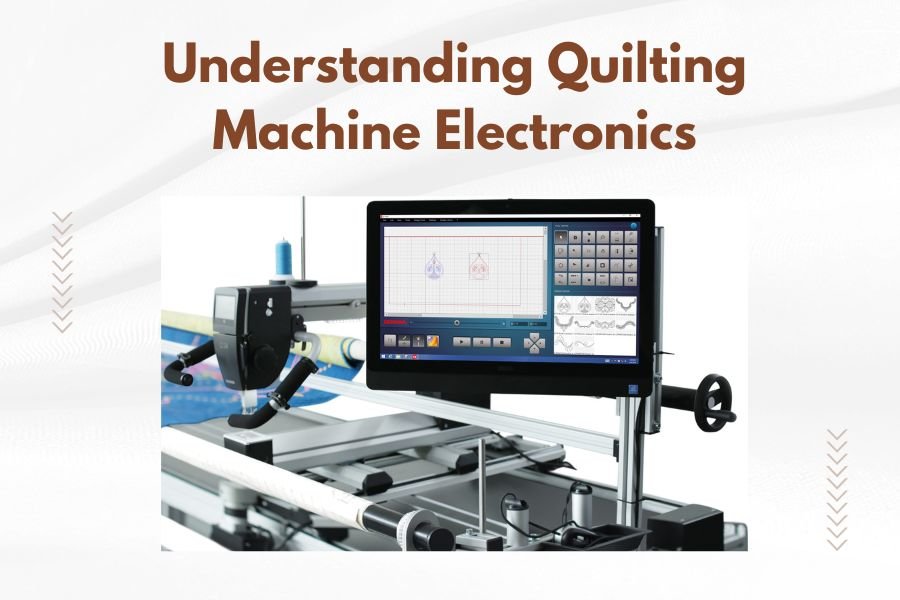
Quilting machine electronics control every stitch, tension adjustment, and pattern selection through interconnected circuit boards, sensors, and motors.
Modern quilting machines use computerized systems with touchscreens, memory cards, and automatic threading mechanisms to simplify complex stitching tasks.
How Quilting Machine Electronics Work
Your quilting machine is basically a computer with needles. When you press a button or select a pattern, electronic signals travel through tiny circuits to make things happen.
Think of it like your car’s dashboard. You turn the key, and dozens of systems spring to life. Same thing happens when you power up your quilting machine.
Main Electronic Components
Every electronic quilting machine has these core parts working together. I found that understanding these basics helps you troubleshoot problems faster.
Control Board (The Brain)
This is your machine’s main computer chip. It processes every command you give and tells other parts what to do.
When you choose a decorative stitch, the control board reads that pattern from memory. Then it sends precise timing signals to the needle and feed system.
Stepper Motors
These motors move your fabric and needle with exact precision. Unlike regular motors that just spin, stepper motors move in tiny, controlled steps.
Your machine might have 3-5 stepper motors controlling different functions. One moves the needle side to side. Another controls fabric feeding. Some handle thread tension.
Sensors and Switches
Sensors act like your machine’s eyes and ears. They detect thread breaks, fabric thickness, and needle position.
Research shows that modern sensors can detect problems in milliseconds (Textile Research Journal). This prevents costly mistakes and thread tangles.
Understanding Your Display Screen
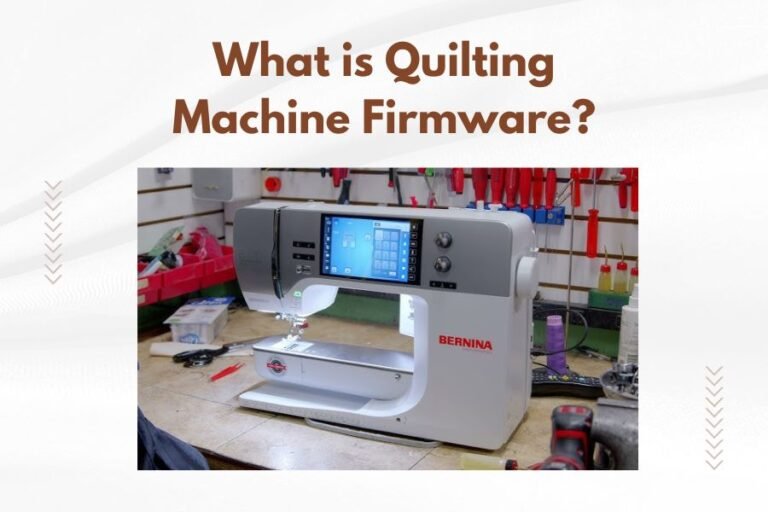
Your touchscreen or LCD display is the main way you talk to your machine’s electronics. Let me break down what all those symbols and menus actually do.
Main Menu Navigation
Most machines organize functions into logical groups. You’ll typically find stitch selection, settings, and help menus.
Don’t feel overwhelmed by all the options. Start with basic functions and add complexity as you get comfortable.
Pattern Selection
When you pick a stitch pattern, you’re actually loading a small computer program. This program contains thousands of needle position coordinates.
Your machine reads these coordinates and recreates the exact stitch sequence. Pretty amazing when you think about it.
Tension and Speed Controls
Electronic tension beats manual adjustment every time. The computer calculates optimal thread tension based on your fabric type and stitch choice.
Speed controls let you slow down for detailed work or speed up for long straight seams. Most machines remember your preferred settings for different stitch types.
Memory and Storage Systems
Your quilting machine stores information just like your smartphone. Understanding how this works helps you manage patterns and settings better.
Internal Memory
Built-in memory holds your machine’s basic stitches and patterns. This memory is permanent – you can’t accidentally delete these patterns.
Higher-end machines include more built-in patterns. Some have over 1,000 stitches stored in internal memory.
Expandable Storage Options
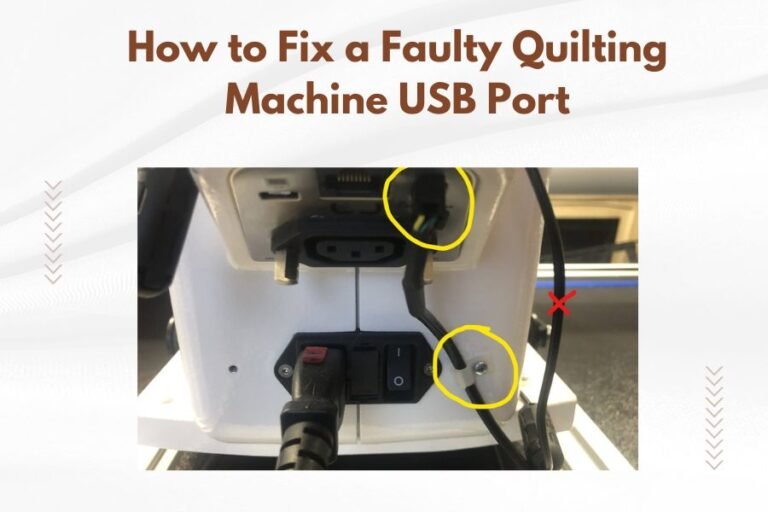
Many machines accept USB drives, memory cards, or connect to computers. This lets you add new patterns and designs.
I researched various formats and found that most machines use standard file types. This makes sharing patterns between different machine brands easier.
Cloud Connectivity
Newer machines connect to WiFi for pattern downloads and software updates. It’s like having an app store for your sewing machine.
You can browse thousands of patterns online and send them directly to your machine. No more fumbling with memory cards.
Automatic Features and Smart Technology
Modern quilting machines include AI-like features that make sewing easier. These aren’t just marketing gimmicks – they solve real problems.
Auto Threading Systems
Electronic threading uses air pressure and precisely timed movements to thread your needle automatically.
The system guides thread through each tension disc and guide in the exact right sequence. Takes about 3 seconds versus 2 minutes by hand.
Fabric Detection
Advanced machines can sense fabric thickness and adjust settings automatically. Sensors measure how much pressure is needed to penetrate your material.
This prevents skipped stitches on thick fabrics and puckering on delicate materials.
Thread Break Detection
When your thread breaks, sensors immediately stop the machine. This prevents bird’s nests and protects your project.
Some machines even show you exactly where the break occurred on your pattern. You can restart from that exact spot.
Maintenance of Electronic Components
Electronic parts need different care than mechanical ones. Here’s what I found works best for keeping everything running smoothly.
Cleaning Electronic Areas
Never use water or spray cleaners near electronic components. Compressed air works great for removing lint and dust.
Focus on areas around the display screen and control buttons. Lint buildup can cause buttons to stick or respond poorly.
Software Updates
Just like your phone, quilting machines get software updates. These fix bugs and sometimes add new features.
Check your manufacturer’s website every few months for updates. The process is usually simple – just follow the step-by-step instructions.
Protecting Against Power Surges
Electronic quilting machines are sensitive to power fluctuations. A good surge protector is worth the investment.
I came across data showing that power surges cause 25% of electronic sewing machine repairs (Consumer Electronics Association). Better safe than sorry.
Troubleshooting Common Electronic Issues
When electronic parts act up, don’t panic. Most problems have simple solutions that don’t require a repair shop visit.
Screen Problems
If your display looks dim or unresponsive, try adjusting the brightness settings first. Sometimes it’s just set too low to see clearly.
For touchscreen issues, clean the surface with a slightly damp microfiber cloth. Oils from your fingers can interfere with touch sensitivity.
Pattern or Memory Errors
When patterns won’t load or look corrupted, the memory might need refreshing. Power cycling (turning off and on) often fixes temporary glitches.
For persistent problems, you might need to reset to factory settings. Check your manual for the specific reset procedure.
Motor and Movement Issues
If your machine moves erratically or makes grinding noises, stop immediately. This might indicate a sensor problem or mechanical obstruction.
Check for thread jams or lint buildup first. If those aren’t the issue, you’ll probably need professional help.
| Problem | Quick Fix | When to Call Service |
|---|---|---|
| Screen won’t respond | Clean surface, restart machine | After trying all settings |
| Patterns missing | Check memory card connection | If built-in patterns are gone |
| Motor sounds weird | Clear lint, oil if needed | If sounds continue |
| Threading won’t work | Check thread path, clean sensors | If mechanism is damaged |
Choosing Electronics-Forward Features
If you’re shopping for a new machine, electronic features can make or break your quilting experience. Here’s what actually matters.
Display Quality
A clear, bright display makes everything easier. Color screens show pattern previews better than black and white.
Touchscreens are convenient, but make sure they’re responsive. Cheap touchscreens can be frustrating to use.
Pattern Capacity
More built-in patterns aren’t always better. Focus on pattern variety rather than just quantity.
Look for machines that accept standard embroidery file formats. This gives you access to thousands of free and paid patterns online.
Connectivity Options
USB ports are standard now. WiFi connectivity is nice but not essential for most quilters.
Computer connectivity matters if you plan to digitize your own patterns or use design software.
Future of Quilting Electronics
The technology keeps getting better every year. Here are trends I’ve noticed from industry research.
Smartphone Integration
More machines are adding phone apps for pattern browsing and machine control. You can start a project from your phone while the machine is across the room.
AI-Powered Features
Smart machines are learning to recognize fabric types automatically. Some can suggest optimal settings based on your project photos.
Voice control is starting to appear too. Imagine telling your machine to select a pattern while your hands stay on your fabric.
Conclusion
Understanding quilting machine electronics doesn’t require an engineering degree. The key is knowing how each component contributes to your quilting success. From control boards that process your commands to sensors that prevent mistakes, every electronic part has a purpose. Take time to learn your machine’s capabilities, keep the electronics clean and updated, and don’t be afraid to try new features. The technology is there to help you create better quilts with less frustration. Remember that even the most advanced electronics work best when paired with good quilting fundamentals and regular maintenance.
What happens if I accidentally spill water on my quilting machine’s electronics?
Turn off the machine immediately and unplug it. Don’t try to turn it back on for at least 48 hours. Remove any removable parts and let everything air dry completely. Contact your dealer before using it again, as water damage to electronics often requires professional assessment.
Can I upgrade my older quilting machine with new electronic features?
Generally no – electronic components are integrated into the machine’s design from the factory. You can sometimes add accessories like larger displays or connectivity modules, but core functions like stitch patterns and tension control can’t be upgraded after purchase.
Why does my quilting machine’s touchscreen sometimes lag or freeze?
Screen lag usually happens when the machine’s processor is overloaded with complex patterns or when memory is full. Try clearing stored patterns you don’t need, restart the machine, or switch to simpler patterns. Extreme temperatures can also affect touchscreen responsiveness.
How often should I update my quilting machine’s software?
Check for updates every 3-6 months or whenever you notice performance issues. Updates often fix bugs, improve stability, and sometimes add new features. Always read update notes before installing to understand what changes you can expect.
Is it normal for my quilting machine to make different sounds with electronic features running?
Yes, electronic components like cooling fans, hard drives, and servo motors create subtle humming or whirring sounds during operation. Sharp grinding, clicking, or high-pitched squealing noises are not normal and indicate potential problems that need attention.