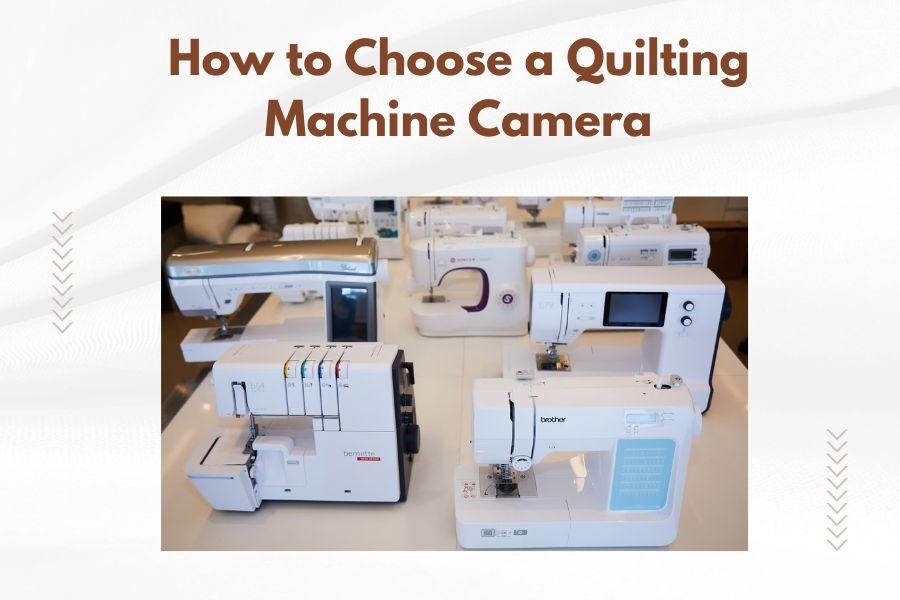
A quilting machine camera helps you see your stitching area clearly by providing magnified real-time video of your needle and fabric. When choosing a quilting machine camera, look for high resolution (at least 1080p), adjustable magnification levels, and compatibility with your specific quilting machine model.
The best quilting machine cameras offer LED lighting, flexible positioning arms, and easy installation without permanent modifications to your machine.
What Makes a Good Quilting Machine Camera
You need a camera that actually helps your quilting, not one that gets in the way. The right camera becomes like having super vision while you work.
Think of it like getting reading glasses for the first time. Suddenly, you can see details that were blurry before. That’s exactly what a good quilting camera does for your stitching.
Resolution Quality That Actually Matters
Don’t get fooled by cameras with fuzzy images. You want at least 1080p resolution. Anything less makes your fabric look like a pixelated mess.
I found that many quilters waste money on cheaper cameras with 720p resolution. You’ll end up squinting at the screen trying to see your seam lines clearly.
Magnification Levels You Can Control
Fixed magnification cameras are like reading glasses with the wrong prescription. Sometimes you need to zoom in close. Other times you want to see more of your work area.
Look for cameras with at least 3x to 10x magnification range. This gives you flexibility for different quilting techniques.
Camera Mounting Options That Work
Your mounting system determines whether your camera stays put or wobbles around like a loose tooth.
Clamp-On Mounts
These attach to your quilting machine frame without permanent changes. Most quilters prefer this option because you can remove the camera when needed.
Make sure the clamp fits your machine’s frame thickness. I came across many frustrated quilters who bought cameras that didn’t fit their specific machine model.
Magnetic Mounting Systems
Magnetic mounts work great on steel quilting machine frames. They’re super easy to adjust and reposition.
But check if your machine frame is magnetic first. Some aluminum frames won’t hold magnetic mounts securely.
Permanent Mounting Solutions
These involve drilling or permanent attachments to your machine. Only consider this if you’re absolutely sure about the camera placement.
Most experts recommend trying removable options first. You might want to change your camera position later.
Display Screen Considerations
Your display screen is where the magic happens. A bad screen ruins even the best camera.
Screen Size That Makes Sense
Tiny screens make you lean forward and strain your eyes. Huge screens take up too much space and cost more.
The sweet spot is usually 7 to 10 inches. This gives you clear detail without overwhelming your workspace.
Screen Positioning Flexibility
You need to position the screen where you can glance at it naturally. Awkward screen placement leads to neck strain and poor quilting posture.
Look for adjustable arms or stands that let you find the perfect viewing angle for your setup.
Lighting Features That Actually Help
Built-in LED lighting can be a game changer or a complete waste. It depends on the quality and positioning.
Adjustable LED Brightness
Fixed brightness lighting is like having light switches that only work on full blast. Sometimes you need subtle lighting. Other times you want maximum brightness.
Dimmer controls let you match the lighting to your fabric colors and room conditions.
Shadow-Free Light Positioning
Poorly positioned lights create shadows that hide your needle or seam lines. The best cameras position lights to minimize shadows around the stitching area.
Ring lights around the camera lens often work better than side-mounted lights.
Compatibility With Your Quilting Setup
The fanciest camera in the world is useless if it doesn’t work with your quilting machine.
Frame Size Requirements
Measure your quilting machine frame before buying any camera system. Different machines have different frame thicknesses and shapes.
I found online that many return requests happen because quilters don’t check compatibility first.
Space Clearance Issues
Your camera system needs room to operate without hitting your quilting frame or interfering with fabric movement.
Consider the camera’s swing radius and mounting arm length. You don’t want to discover clearance problems after installation.
Budget Considerations That Make Sense
Quilting cameras range from under $200 to over $1000. The right choice depends on your quilting frequency and needs.
Entry-Level Options
Basic cameras work fine if you quilt occasionally or want to try the technology first. Expect simpler mounting systems and basic image quality.
These cameras typically offer fixed magnification and basic LED lighting.
Professional-Grade Systems
High-end cameras offer better image quality, more mounting options, and advanced features like recording capabilities.
Professional quilters often find the extra cost worthwhile for the improved accuracy and reduced eye strain.
Installation Process Simplified
Most quilting cameras install without tools, but some require basic assembly.
No-Tool Installation
Clamp-on systems usually snap into place without screws or drilling. This makes trying different positions easy.
Check that all adjustment knobs and clamps tighten securely. Loose connections lead to camera drift during quilting.
Basic Assembly Requirements
Some systems require connecting cables or assembling mounting arms. The instructions should be clear with good diagrams.
Avoid systems with confusing installation guides. You shouldn’t need an engineering degree to set up your camera.
Common Problems to Avoid
Learning from other quilters’ mistakes saves you time and money.
Vibration Issues
Quilting machines create vibrations that can make your camera image shake. Look for cameras with vibration dampening or sturdy mounting systems.
Lightweight mounting arms often amplify vibrations instead of reducing them.
Focus Problems
Some cameras struggle to maintain focus as you move fabric or change quilting positions. Auto-focus systems usually work better than fixed-focus cameras.
Manual focus adjustment should be easy to reach and operate while quilting.
Testing Your Camera Choice
Try to test camera systems before buying, or choose sellers with good return policies.
Image Quality Tests
Check the image quality with different fabric colors and thread types. Dark fabrics and metallic threads can challenge some camera systems.
The image should remain clear and detailed across the full magnification range.
Usability During Actual Quilting
Set up the camera and try quilting a small project. Pay attention to whether the camera helps or distracts from your work.
The best cameras feel natural to use after a short adjustment period.
Maintenance and Care
Quilting environments create dust and lint that can affect camera performance.
Lens Cleaning Requirements
Camera lenses need regular cleaning in dusty quilting environments. Look for cameras with easily accessible lenses.
Avoid cameras where the lens sits in hard-to-reach positions or requires disassembly for cleaning.
Cable Management
Loose cables can get caught in your quilting machine or create tripping hazards. Plan your cable routing during installation.
Some systems offer wireless connections that eliminate cable management issues entirely.
Advanced Features Worth Considering
Some cameras offer extra features that might benefit your quilting style.
Recording Capabilities
Video recording lets you review your quilting technique or create tutorials. This feature adds cost but provides extra value.
Check the recording quality and storage options if this feature interests you.
Multiple Camera Inputs
Advanced systems can switch between multiple camera angles. This works well for complex quilting projects that need different viewing perspectives.
Single camera systems work fine for most quilting applications.
Making Your Final Decision
Choose based on your actual quilting needs, not the fanciest features available.
Consider how often you quilt, your typical project types, and your workspace limitations. The right camera improves your quilting experience without creating new frustrations.
| Feature | Beginner Quilters | Frequent Quilters | Professional Use |
|---|---|---|---|
| Resolution | 720p acceptable | 1080p recommended | 1080p or higher |
| Magnification | Fixed zoom OK | 3x-8x variable | 5x-15x variable |
| Mounting | Simple clamp | Adjustable arm | Professional mount |
| Lighting | Basic LED | Adjustable LED | Advanced lighting |
Conclusion
Choosing the right quilting machine camera comes down to matching features with your actual quilting needs. Focus on image quality, stable mounting, and compatibility with your machine setup.
Don’t get distracted by fancy features you won’t use. A simple camera with good resolution and reliable mounting often works better than a complex system with unnecessary bells and whistles.
Start with your basic requirements: clear image quality, stable positioning, and easy installation. You can always upgrade later as your quilting skills and needs develop.
What’s the difference between 720p and 1080p resolution for quilting cameras?
1080p provides much sharper detail for seeing precise seam lines and thread placement. 720p works for basic quilting but becomes pixelated when you zoom in close. The image quality difference is especially noticeable with detailed quilting patterns.
Can I use a quilting camera on any brand of quilting machine?
Most cameras work with multiple machine brands, but check frame compatibility first. Different machines have varying frame thicknesses and shapes. Clamp-on systems offer the most universal compatibility across different quilting machine brands.
Do quilting cameras interfere with the machine’s normal operation?
Properly installed cameras don’t interfere with quilting machine functions. They mount independently of the machine’s mechanical parts. Choose cameras with adequate clearance space and secure mounting to avoid any operational issues.
How do I prevent my quilting camera image from shaking during operation?
Use cameras with vibration dampening features and sturdy mounting arms. Lightweight or poorly secured cameras amplify machine vibrations. Some systems include stabilization technology specifically designed for quilting machine environments.
Are wireless quilting cameras better than wired versions?
Wireless cameras eliminate cable management issues but may have slight delays in image transmission. Wired cameras provide instant, reliable image quality but require careful cable routing. Choose based on your workspace setup and personal preference for convenience versus performance.