
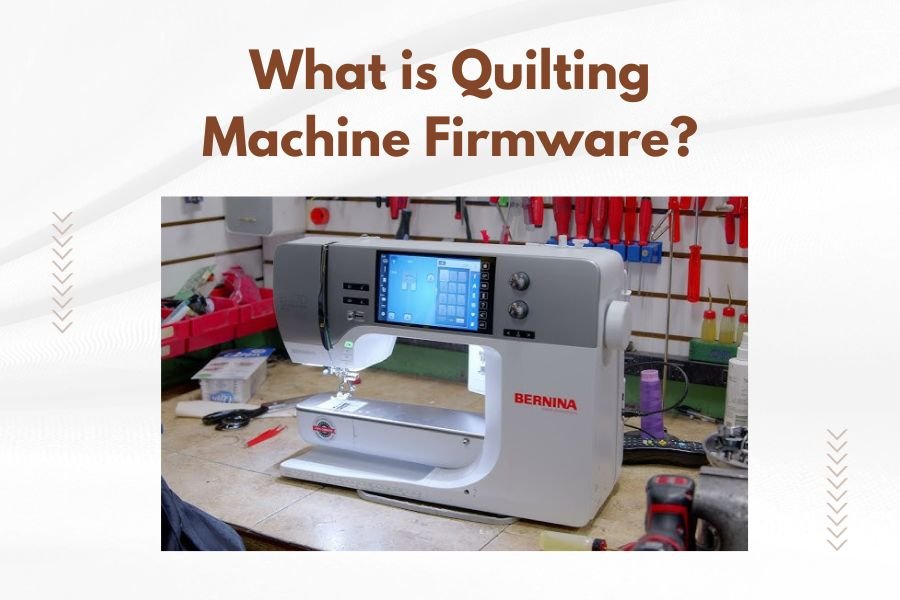
Quilting machine firmware is specialized software embedded in your machine’s computer system that controls all its functions, from stitch patterns to motor movements.
Think of firmware as your quilting machine’s brain – it tells every component how to work together and determines what features you can access.
How Quilting Machine Firmware Works
Your quilting machine runs on a tiny computer chip. This chip stores firmware – permanent software that makes everything function correctly.
When you press a button or select a pattern, the firmware translates your command into precise movements. It controls needle speed, fabric feed, tension settings, and stitch formation.
The Communication System
Firmware acts like a translator between you and your machine. You choose a design on the touch screen. The firmware converts that choice into thousands of tiny motor commands.
These commands happen so fast you don’t notice them. But each stitch requires multiple calculations and adjustments.
Why Firmware Matters for Your Quilting
Good firmware makes your quilting smoother and more reliable. Poor or outdated firmware causes problems you might blame on mechanical issues.
Performance Impact
Updated firmware often improves stitch quality and reduces thread breaks. I found that many quilters don’t realize their tension problems stem from outdated software, not mechanical issues.
Newer firmware versions usually run faster and handle complex patterns better. Your machine becomes more responsive to your commands.
Feature Availability
Firmware updates can add new stitch patterns or editing tools. Sometimes you get features that weren’t available when you bought your machine.
Some updates improve compatibility with design software or add new file formats. This keeps your older machine current with new technology.
Types of Quilting Machine Firmware
Basic Firmware
Entry-level machines have simple firmware. It handles basic functions like straight stitching, zigzag, and simple decorative patterns.
This firmware focuses on reliability over fancy features. It’s usually very stable and rarely needs updates.
Advanced Firmware
High-end quilting machines run complex firmware systems. These handle embroidery designs, automatic threading, and sophisticated pattern editing.
Advanced firmware connects to computers, manages large design libraries, and controls precision movements for detailed work.
Embroidery-Specific Features
Embroidery firmware manages color changes, jump stitches, and design positioning. It calculates optimal stitching sequences for complex patterns.
This type of firmware also handles design scaling, rotation, and combination features.
Common Firmware Problems
Outdated Software Issues
Old firmware can cause mysterious problems. Your machine might skip stitches, jam frequently, or display error messages.
I came across many cases where quilters spent money on repairs when they just needed a firmware update.
Corruption Problems
Firmware can become corrupted from power surges or interrupted updates. This makes your machine behave unpredictably.
Signs include random error messages, features that stop working, or the machine freezing during operation.
Recovery Options
Most corrupted firmware can be restored. You’ll need to reinstall the firmware completely, which usually fixes the problems.
Some machines have backup firmware that automatically restores if the main firmware fails.
How to Update Your Quilting Machine Firmware
Finding Updates
Check your manufacturer’s website regularly for firmware updates. Most companies post updates in their support or downloads section.
Register your machine with the manufacturer. They often send email notifications about important updates.
Update Methods
Most modern machines update through USB drives. You download the firmware file to your computer, copy it to a USB drive, then plug it into your machine.
Some newer machines connect directly to WiFi for automatic updates. This is the easiest method when available.
Safety Precautions
Never turn off your machine during a firmware update. This can permanently damage the software and require professional repair.
Use a reliable power source. Consider using an uninterruptible power supply during updates to prevent power interruption problems.
Firmware Update Benefits
Improved Performance
Updates often fix bugs that cause thread breaks or tension problems. Your machine runs smoother and produces better results.
Newer firmware typically processes commands faster, making your quilting experience more responsive.
New Features
Many updates add functionality without buying new hardware. You might get new stitch patterns, better editing tools, or improved connectivity options.
Some updates improve compatibility with newer design software or add support for additional file formats.
Security Improvements
Connected machines benefit from security updates that protect against potential cyber threats. This becomes more important as machines gain internet connectivity.
When to Update Firmware
Problem-Solving Updates
Update immediately if you’re experiencing persistent problems. Check if a firmware update addresses your specific issues before calling for repairs.
Many manufacturers release updates specifically to fix known problems reported by users.
Feature Updates
Consider updating when new features would benefit your quilting projects. Read the update notes carefully to understand what’s included.
Don’t update just because it’s available. If your machine works well, you might prefer to wait and let other users test the new firmware first.
Troubleshooting Firmware Issues
Before Calling Support
Try basic troubleshooting first. Turn your machine off and on again. This simple step fixes many firmware-related glitches.
Check if your machine’s firmware is current. Many support calls could be avoided with simple updates.
Reset Options
Most machines have factory reset options that restore original settings. This can fix problems caused by incorrect setting changes.
A factory reset doesn’t change your firmware version, but it clears any setting conflicts that might cause problems.
Professional Help
Contact your dealer or manufacturer if basic troubleshooting doesn’t work. They can often diagnose firmware problems over the phone.
Some firmware problems require special tools or procedures that only authorized technicians should perform.
Future of Quilting Machine Firmware
Smart Features
New firmware development focuses on artificial intelligence features. Future machines might automatically adjust settings based on fabric type or pattern complexity.
Cloud connectivity allows machines to access vast design libraries and receive automatic updates without user intervention.
User Interface Improvements
Firmware development continues improving touch screen interfaces. Expect more intuitive controls and better visual feedback in future updates.
Voice control and gesture recognition might become standard features as firmware becomes more sophisticated.
Conclusion
Quilting machine firmware is the hidden foundation that makes your creative work possible. Understanding how it works helps you maintain your machine better and solve problems faster.
Keep your firmware updated to enjoy the best performance and newest features. When problems arise, consider firmware issues before assuming you need expensive repairs.
Your quilting machine is essentially a specialized computer, and like any computer, it performs best with current software. Take care of the firmware, and it will take care of your quilting projects.
What happens if firmware update fails on my quilting machine?
If an update fails, your machine might not start properly or display error messages. Most machines have recovery modes that let you reinstall firmware. Contact your manufacturer’s support team for specific recovery instructions for your model.
Can I downgrade my quilting machine firmware to an older version?
Some machines allow firmware downgrades, but many don’t. Check your manual or contact support before attempting this. Downgrading can sometimes cause compatibility problems with newer design files or accessories.
How often should I check for quilting machine firmware updates?
Check every 3-6 months for updates. Sign up for manufacturer notifications so you hear about important updates automatically. Don’t feel pressured to install every minor update unless you’re having problems.
Do all quilting machines have updateable firmware?
Most modern quilting machines have updateable firmware, but very basic mechanical machines might not. Machines made before 2010 often have fixed firmware that cannot be updated. Check your manual or manufacturer website to confirm.
Why does my quilting machine firmware update take so long?
Firmware updates can take 15-45 minutes depending on file size and machine speed. The process involves completely rewriting your machine’s operating software, which requires careful verification at each step to prevent corruption.
