
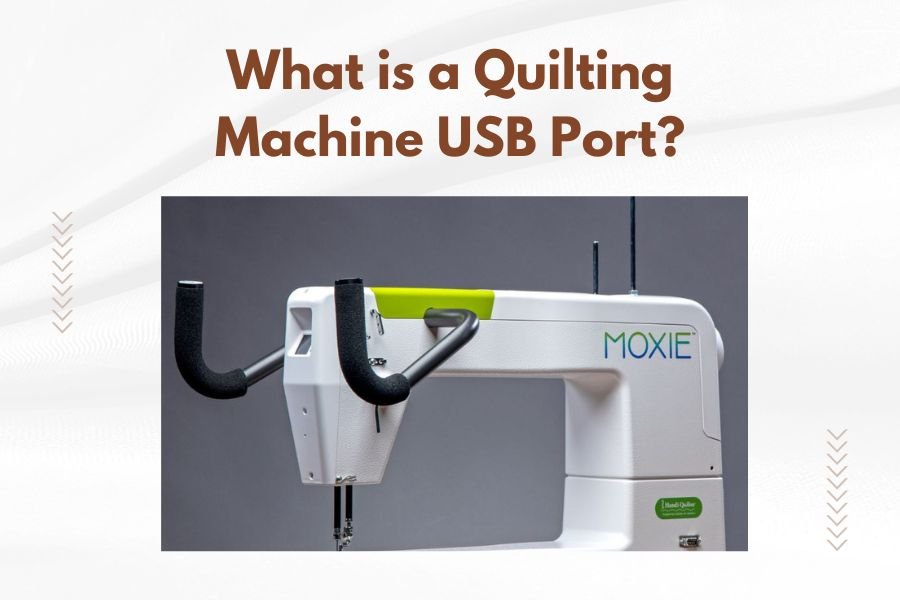
A quilting machine USB port is a digital connection that lets you transfer embroidery designs, patterns, and updates directly from your computer to your quilting machine.
This port acts as a bridge between digital design files and your quilting machine’s memory, making it easy to load new patterns without using memory cards or cables.
How Does a Quilting Machine USB Port Work?
Think of your quilting machine’s USB port like a doorway for digital information. You plug in a USB cable or flash drive, and your machine can read the design files stored on it.
The process is straightforward. You create or download a quilting pattern on your computer, save it to a USB drive, then plug that drive into your machine. The machine reads the file and displays it on its screen for you to use.
Types of USB Connections on Quilting Machines
I found that quilting machines typically have two types of USB connections. Each serves a different purpose.
USB-A Ports for Flash Drives
Most quilting machines include a standard USB-A port. This is the same rectangular port you see on computers and laptops.
You can plug any USB flash drive into this port. The machine reads design files directly from the drive. It’s like having a digital library of patterns at your fingertips.
USB-B Ports for Computer Connection
Some quilting machines also have USB-B ports. These are square-shaped and connect directly to your computer with a USB cable.
This connection lets you send designs straight from quilting software to your machine. No need to save files to a flash drive first.
What File Types Work with USB Ports?
Your quilting machine’s USB port won’t read just any file. Machines are picky about file formats.
Common Quilting File Formats
I researched the most common file types that work with quilting machine USB ports:
- .pes files from Brother machines
- .hus files from Husqvarna Viking
- .jef files from Janome
- .dst files (universal format)
- .exp files from Melco
Check Your Machine’s Manual
Different brands support different file types. Your machine’s manual lists exactly which formats work with your USB port.
Some machines can read multiple file types. Others stick to their brand’s specific format. Always check before buying or downloading patterns.
Benefits of Having a USB Port
Why do quilters love USB ports on their machines? The benefits make quilting so much easier.
Easy Pattern Storage
A single USB drive can hold hundreds of quilting patterns. That’s like carrying an entire pattern library in your pocket.
You can organize patterns into folders on your USB drive. Create folders for different quilt sizes, seasons, or themes. Finding the right pattern becomes quick and simple.
Quick Design Transfer
No more burning CDs or connecting complicated cables. Just plug in your USB drive and pick your pattern.
The transfer happens in seconds. You spend more time quilting and less time setting up your machine.
Share Patterns with Friends
USB drives make sharing patterns between quilters super easy. Copy your favorite designs to a friend’s USB drive in minutes.
How to Use Your Quilting Machine’s USB Port
Using a USB port sounds technical, but it’s actually simple. Here’s how to do it step by step.
Step 1: Prepare Your Design File
Start with a quilting design file on your computer. Make sure it’s in a format your machine can read.
If you’re downloading patterns online, check the file format before purchasing. Save the file to an easy-to-find folder on your computer.
Step 2: Copy to USB Drive
Insert a USB flash drive into your computer. Copy your design file from your computer to the USB drive.
I recommend creating a simple folder structure on your USB drive. This helps you find patterns quickly when you’re at your quilting machine.
USB Drive Size Recommendations
You don’t need a huge USB drive for quilting patterns. Most design files are small, usually under 1MB each.
A 4GB or 8GB USB drive can hold thousands of patterns. That’s more than most quilters will ever need.
Step 3: Insert into Your Machine
Turn on your quilting machine and locate the USB port. It’s usually on the front or side of the machine.
Gently insert your USB drive into the port. Most machines make a beep or show a message when they detect the drive.
Step 4: Select Your Pattern
Use your machine’s display screen to browse the patterns on your USB drive. The exact steps vary by machine brand, but the process is usually straightforward.
Select the pattern you want to quilt. Some machines let you preview the design on screen before you start stitching.
Troubleshooting Common USB Port Issues
Sometimes USB ports don’t work as expected. Here are the most common problems and their solutions.
Machine Won’t Recognize USB Drive
If your machine doesn’t see your USB drive, try these fixes:
- Check if the USB drive is properly inserted
- Try a different USB drive
- Make sure the drive is formatted correctly (usually FAT32)
- Restart your quilting machine
File Format Problems
Your machine might see the USB drive but not the pattern files. This usually means a file format issue.
Double-check that your design files are in a format your machine supports. You might need to convert files using quilting software.
USB Port Physical Damage
USB ports can get damaged if you’re not careful. Always insert USB drives gently and straight into the port.
If your USB port stops working completely, contact your machine’s manufacturer. This usually requires professional repair.
Choosing USB Drives for Quilting
Not all USB drives work equally well with quilting machines. Here’s what to look for.
Size and Speed Considerations
Quilting machines don’t need super-fast USB drives. Basic USB 2.0 drives work fine for most machines.
Focus on reliability over speed. A slow, reliable drive beats a fast one that crashes your machine.
Brand Reliability
I found that well-known USB drive brands tend to work better with quilting machines. Stick with names you recognize from computer stores.
Cheap, no-name USB drives sometimes cause problems. They might not format correctly or could corrupt your pattern files.
Maintaining Your USB Port
Keep your quilting machine’s USB port in good working condition with simple care.
Keep It Clean
Dust and lint can build up in USB ports over time. Use compressed air to blow out debris gently.
Never stick anything metal into the USB port. This can damage the delicate connections inside.
Gentle Handling
Always remove USB drives carefully. Don’t yank them out quickly or at an angle.
Some quilting machines have a “safely remove” option in their menus. Use this feature when available to prevent data corruption.
| USB Port Type | Best For | Connection Method |
|---|---|---|
| USB-A | Flash drive storage | Direct plug-in |
| USB-B | Computer connection | Cable to computer |
| Mini USB | Older machines | Special cable needed |
Future of USB Ports in Quilting
Technology keeps changing, and quilting machines are keeping up. What’s next for USB connectivity?
Wireless Connectivity
Some newer quilting machines offer Wi-Fi connectivity alongside USB ports. This lets you send patterns wirelessly from your computer or tablet.
Wireless connections are convenient, but USB ports remain reliable backup options. Many quilters prefer the simplicity of plugging in a USB drive.
Mobile App Integration
Machine manufacturers are creating mobile apps that work with their quilting machines. Some of these apps can send patterns directly to your machine.
Even with these new features, USB ports stay important for quilters who prefer traditional file transfer methods.
Conclusion
A quilting machine USB port opens up a world of digital pattern possibilities. It’s your gateway to thousands of designs, easy file sharing, and quick pattern changes. Whether you’re using a simple USB drive or connecting directly to your computer, this small port makes modern quilting more flexible and fun. Take time to learn your machine’s USB capabilities, keep your ports clean, and choose reliable USB drives. With proper use and care, your USB port will serve you well through countless quilting projects.
Can I use any USB drive with my quilting machine?
Most standard USB drives work with quilting machines, but stick with reliable brands and make sure the drive is formatted as FAT32. Very large drives (over 32GB) might cause compatibility issues with older machines.
What should I do if my quilting machine freezes when I insert a USB drive?
Turn off your machine, remove the USB drive, and restart. Try a different USB drive to see if the problem persists. If it does, your machine’s USB port might need professional service.
How many patterns can I store on one USB drive?
Most quilting pattern files are very small, typically under 1MB each. An 8GB USB drive can easily hold 5,000 to 10,000 patterns, which is more than most quilters will ever need.
Is it safe to leave a USB drive plugged into my quilting machine?
While it won’t hurt your machine, it’s better to remove the USB drive when not in use. This prevents accidental damage to both the drive and the port, and reduces the risk of losing your pattern files.
Can I convert pattern files to work with my machine’s USB port?
Yes, most quilting software programs can convert between different file formats. Popular programs like Embird or PE-Design let you open one format and save it in another that works with your specific machine brand.
