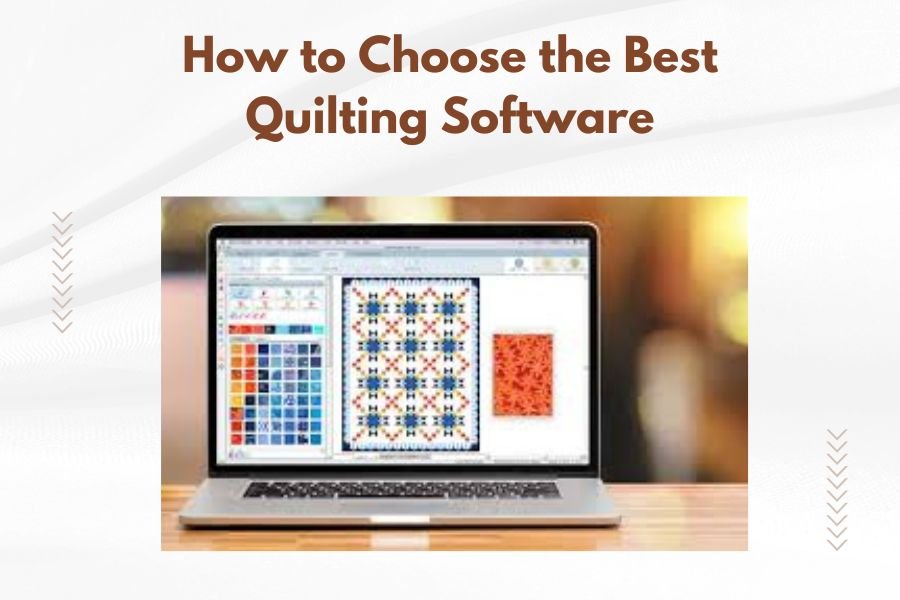
The best quilting software combines design tools, block libraries, and fabric calculators in one easy-to-use program that matches your skill level and budget.
When choosing quilting software, prioritize user-friendly interfaces, extensive pattern libraries, and accurate measurement tools over flashy features you won’t actually use.
What Makes Quilting Software Worth Your Money
You’ve probably wondered if quilting software can really make your projects easier. I researched dozens of programs and found that the right software saves hours of planning time.
Good quilting software does three main jobs. It helps you design patterns, calculates fabric needs, and lets you preview your finished quilt before you cut a single piece.
Essential Features Every Quilter Needs
Your quilting software should include these basic tools:
- Pattern design and editing capabilities
- Fabric requirement calculators
- Block libraries with popular designs
- Print functions for templates and cutting guides
- Color palette tools for planning
Advanced Features for Serious Quilters
If you quilt regularly, look for these bonus features:
- Photo importing to create custom designs
- Applique design tools
- Border and sashing calculators
- Fabric stash tracking
- Export options for cutting machines
Free vs Paid Quilting Software Options
Should you start with free software or invest in a paid program? The answer depends on how much you quilt and what you want to create.
Free Software Benefits and Limits
Free quilting programs work well for beginners. They usually offer basic design tools and simple pattern libraries. But they often limit how many designs you can save or print.
Many free options also include watermarks on your printed patterns. That’s not a problem for personal use, but it looks unprofessional if you sell your work.
When Paid Software Makes Sense
Paid programs shine when you need professional results. They offer larger block libraries, better printing options, and customer support when you get stuck.
I found that quilters who make more than five quilts per year usually prefer paid software. The time savings quickly pay for the program cost.
Top Quilting Software Categories Explained
Different programs focus on different quilting styles. Here’s how to match software to your projects.
Traditional Block-Based Programs
These programs excel at creating quilts from traditional blocks. They include libraries of classic patterns like Log Cabin, Flying Geese, and Nine Patch designs.
Block-based software works great if you love traditional quilting styles. The learning curve stays gentle because you’re working with familiar patterns.
Best For Traditional Quilters
Choose block-based software if you enjoy pieced quilts and geometric designs. These programs make it easy to resize blocks and experiment with color placement.
Art and Photo Quilting Software
Art quilting programs help you create pictorial quilts from photographs or original artwork. They convert images into quilting patterns using specialized algorithms.
These programs require more computer knowledge but create stunning results. You can turn family photos into memorial quilts or create landscape art quilts.
Learning Curve Considerations
Photo quilting software takes longer to master. Plan on spending several weekends learning the tools before attempting your first major project.
All-in-One Quilting Suites
Some programs combine traditional piecing, applique design, and photo quilting in one package. These suites cost more but offer the most flexibility.
All-in-one programs make sense if you enjoy various quilting styles. You won’t need multiple software packages as your interests grow.
Key Features to Compare Before Buying
Smart shopping means comparing specific features across different programs. Don’t just look at price and pretty screenshots.
Design Library Size and Quality
Count how many blocks and patterns come with each program. But remember that quality beats quantity. A hundred great blocks trump a thousand mediocre ones.
Look for programs that include your favorite quilt styles. If you love applique work, make sure the software includes good applique templates.
Expansion Options
Can you buy additional pattern packs? Some companies release new designs regularly while others rarely update their libraries.
Printing and Export Functions
Your software should print accurate templates at actual size. This sounds basic, but some programs struggle with printer scaling issues.
Modern quilters often use cutting machines. Check if your software exports files in formats your machine can read.
Template Accuracy
Test the software’s measurement accuracy before committing to a large project. Print a simple block template and measure it with a ruler.
User Interface and Learning Support
You’ll spend hours using this software. A confusing interface will frustrate you every time you open the program.
Download free trials when possible. Spend time clicking through menus and trying basic functions. The software should feel intuitive, not like solving puzzles.
| Software Type | Best For | Price Range | Learning Time |
|---|---|---|---|
| Free Basic | Beginners, simple projects | $0 | 1-2 hours |
| Traditional Block | Pieced quilts, geometric designs | $50-$200 | 4-8 hours |
| Art/Photo | Pictorial quilts, landscapes | $100-$400 | 15-25 hours |
| All-in-One Suite | Multiple quilt styles | $200-$600 | 20-40 hours |
System Requirements and Compatibility
Nothing’s more frustrating than buying software that won’t run on your computer. Check these technical details before purchasing.
Operating System Compatibility
Most quilting software runs on Windows computers. Mac options exist but remain limited. Some newer programs offer cloud-based access through web browsers.
Don’t assume older software will work on new computers. Programs from five years ago might not install on current Windows versions.
Hardware Requirements
Complex quilting software needs decent computer power. Art quilting programs especially require good graphics cards and plenty of memory.
Your computer should have at least 4GB of RAM for basic programs or 8GB for advanced software. Older computers might run slowly or crash during large projects.
Storage Space Needs
Pattern libraries take up significant disk space. Leave room for your saved projects too. Budget at least 2-5GB of free space for most programs.
Budget Planning for Quilting Software
Software costs vary wildly. Set a realistic budget based on how often you quilt and what features you actually need.
Total Cost of Ownership
Don’t forget about ongoing costs. Some programs charge annual fees for updates or cloud storage. Others sell pattern packs separately.
Factor in learning time too. Complex software might require online courses or books to master effectively.
When to Upgrade
Start simple if you’re new to quilting software. You can always upgrade later as your skills and needs grow.
Many companies offer upgrade discounts to existing customers. Starting with a basic version often provides a cheaper path to professional software.
Getting Started Successfully
You’ve chosen your software. Now what? Smart quilters take time to learn their tools before starting big projects.
Practice Projects
Start with simple designs you could easily piece by hand. This lets you focus on learning the software without worrying about complex construction.
Try recreating a quilt you’ve already made. You’ll quickly spot if the software calculates fabric requirements accurately.
Learning Resources
Most software companies provide tutorial videos on their websites. YouTube also hosts user-created lessons for popular programs.
Local quilt shops sometimes offer software classes. Learning with other quilters makes the process more enjoyable and less frustrating.
Online Communities and Support
Join user groups for your chosen software. Experienced users share tips and troubleshoot problems you’ll encounter.
Facebook groups and quilting forums provide free help when you get stuck on specific features or projects.
Conclusion
Choosing quilting software doesn’t need to overwhelm you. Start by identifying your quilting style and skill level. Free programs work fine for beginners, while serious quilters benefit from paid software’s advanced features.
Remember that the best software is the one you’ll actually use. A simple program you understand beats a complex one that sits unused on your computer. Take advantage of free trials to test different options before committing your money.
Your quilting software should make projects more enjoyable, not more complicated. Choose wisely, start simple, and don’t be afraid to upgrade as your skills grow.
Can I use quilting software on my tablet or iPad?
Most professional quilting software runs only on computers, not tablets. Some companies offer simplified mobile apps for viewing designs, but you’ll need a computer for serious design work and printing templates.
How much computer knowledge do I need for quilting software?
Basic computer skills like opening files, printing documents, and installing programs are sufficient for most quilting software. Art quilting programs require more technical knowledge, but traditional block-based software stays user-friendly for beginners.
Will my old quilt patterns work with new software?
You can recreate hand-drawn patterns in most quilting software, but there’s no automatic way to import paper patterns. Some programs let you trace scanned images, which speeds up the conversion process for complex designs.
Can quilting software really save me money on fabric?
Yes, accurate fabric calculators prevent overbuying materials. The software also lets you test color combinations digitally before purchasing fabric, reducing expensive mistakes. Most quilters recover the software cost within a few projects through better fabric planning.
What happens if the software company goes out of business?
Choose software that saves files in standard formats you can open with other programs. Avoid companies that store all your designs in proprietary cloud systems. Keep backup copies of your design files and any installation software you download.