
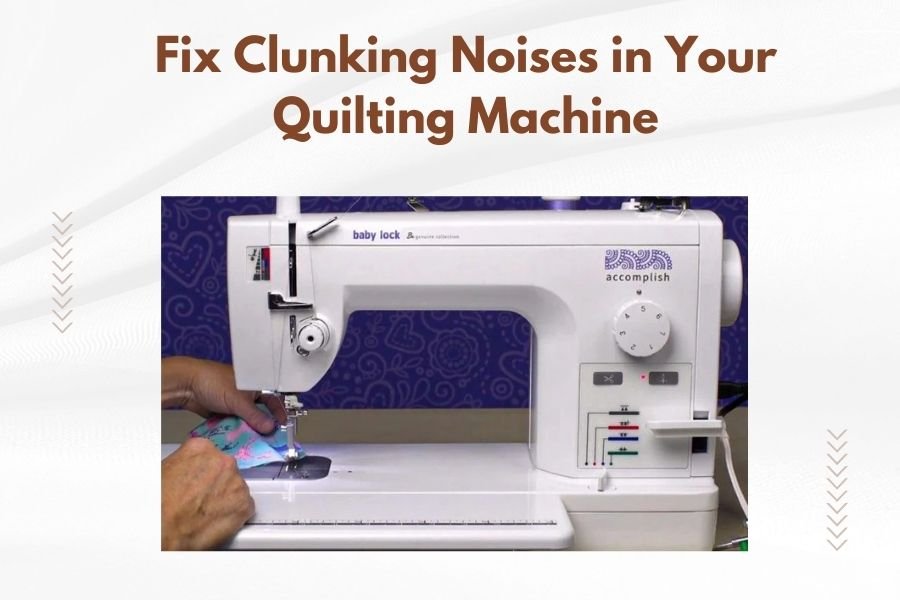
Clunking noises in your quilting machine usually come from loose parts, timing issues, or worn components that need immediate attention.
You can fix most quilting machine clunking by checking the needle bar, cleaning the bobbin area, and tightening loose screws or bolts.
What Causes That Annoying Clunking Sound?
Your quilting machine shouldn’t sound like a broken washing machine. When you hear clunking, something’s definitely wrong.
The most common culprits are timing problems between the needle and hook assembly. Think of it like a dance – when the partners are out of sync, everything falls apart.
Loose parts also create noise. Vibration from regular use can loosen screws, bolts, and brackets over time.
Needle Bar Issues
The needle bar connects your needle to the machine’s driving mechanism. When it gets loose or bent, you’ll hear distinct clunking sounds.
I found that needle bar problems often start small but get worse quickly. Don’t ignore early warning signs.
Bobbin Case Problems
A damaged or incorrectly installed bobbin case creates metallic clunking noises. The case might be cracked, warped, or missing its tension spring.
Sometimes thread gets wrapped around the bobbin case in ways you can’t see from above. This creates resistance and strange sounds.
Quick Diagnosis: Listen to Your Machine
Different clunking sounds tell different stories. Learning to identify them saves you time and money.
Sharp Metallic Clunks
Sharp, regular clunking usually means metal hitting metal. This often points to timing issues or a bent needle hitting the throat plate.
Run your machine slowly and listen carefully. Does the clunk happen at the same point in each stitch cycle?
Irregular Thumping
Random thumping sounds often come from loose parts bouncing around. Check all visible screws and brackets first.
Sometimes quilting frames develop loose connections that create irregular noises during operation.
Deep Grinding Sounds
Deep, grinding clunks suggest bearing problems or gear issues inside the machine head. These need professional attention.
Don’t try to fix internal gear problems yourself. You might make expensive damage worse.
Step-by-Step Troubleshooting
Start with simple checks before calling a repair technician. Many clunking issues have easy fixes.
Safety First
Always unplug your machine before any maintenance work. Remove the needle and presser foot to avoid accidents.
Keep your workspace clean and well-lit. You’ll need to see small parts clearly.
Check the Needle
Bent or damaged needles create clunking when they hit the throat plate or bobbin case.
Replace your needle even if it looks okay. Microscopic bends aren’t always visible but still cause problems.
Needle Installation
Make sure your new needle is fully inserted and properly tightened. Loose needles bounce and clunk.
The flat side of the needle shank should face the back of most machines. Check your manual to be sure.
Examine the Bobbin Area
Remove the bobbin case and look for thread buildup, lint, or damage. Clean everything thoroughly.
Check that the bobbin case seats properly in its holder. It should click into place without forcing.
Bobbin Case Timing
The bobbin case must align correctly with the needle. Research shows that even small timing errors create noise and stitching problems.
If you suspect timing issues, don’t adjust anything yourself. Modern quilting machines have precise timing that requires special tools.
Cleaning and Maintenance Solutions
Regular cleaning prevents many clunking problems before they start. Think of it as preventive medicine for your machine.
Deep Clean the Hook Assembly
Remove all thread and lint from the hook area using a small brush and tweezers. Compressed air helps blow out hidden debris.
I came across information suggesting that hook assemblies need cleaning after every 8-10 hours of quilting time.
Lubrication Points
Check your manual for lubrication points. Most machines need oil on specific bearings and moving parts.
Use only sewing machine oil – never household oils or WD-40. Wrong lubricants attract more dirt and cause problems.
How Much Oil to Use
One drop goes a long way. Too much oil creates a mess and attracts lint.
Wipe away excess oil after lubricating. Run the machine slowly to distribute oil before quilting.
Checking for Loose Parts
Vibration loosens screws and bolts over time. Regular checks keep your machine running quietly.
Machine Head Bolts
Check all bolts connecting the machine head to its mounting system. These take the most stress during quilting.
Tighten bolts gradually and evenly. Don’t overtighten – this can strip threads or crack parts.
Frame Connections
If you have a quilting frame, check all connection points. Loose frame joints create noise and affect stitch quality.
Pay special attention to carriage wheels and tracks. Misaligned wheels cause clicking and clunking sounds.
When to Call a Professional
Some problems need expert attention. Knowing when to stop prevents expensive damage.
Timing Adjustments
Never attempt timing adjustments yourself unless you have proper training. Timing affects needle and hook coordination.
Professional repair shops have special gauges and tools for precise timing work.
Internal Mechanical Issues
Grinding sounds or metal shavings indicate serious internal problems. Stop using your machine immediately.
Continuing to run a damaged machine often turns minor repairs into major overhauls.
Prevention Tips
Preventing clunking is easier than fixing it. Simple habits keep your machine running smoothly.
Regular Maintenance Schedule
Clean your machine after every project. Oil it monthly if you quilt regularly.
Keep maintenance records. This helps you spot patterns and schedule professional service.
Quality Thread and Needles
Cheap thread breaks more often and leaves more lint. Quality supplies reduce maintenance needs.
Change needles regularly – dull needles stress your machine and create more noise.
| Clunking Type | Likely Cause | Fix Difficulty |
|---|---|---|
| Regular metallic clicks | Bent needle or timing | Easy to moderate |
| Random thumping | Loose parts | Easy |
| Deep grinding | Internal damage | Professional required |
Conclusion
Clunking noises in quilting machines are fixable problems, not permanent conditions. Start with simple solutions like checking your needle, cleaning the bobbin area, and tightening loose screws.
Remember that regular maintenance prevents most noise problems. Clean your machine often, use quality supplies, and don’t ignore small issues before they become big ones.
When in doubt, consult a professional. It’s better to pay for expert diagnosis than risk expensive damage from DIY repairs gone wrong.
Why does my quilting machine make clunking noises only when quilting thick layers?
Thick layers put extra stress on your machine’s motor and drive system. The added resistance can reveal loose parts or timing issues that don’t show up with lighter fabrics. Use a walking foot and slower speeds for thick quilts.
Can I continue quilting if my machine makes occasional clunking sounds?
Stop quilting immediately when you hear clunking. Continuing to run a machine with mechanical problems often turns minor issues into expensive repairs. Diagnose and fix the problem first.
How often should I have my quilting machine professionally serviced?
Most quilting machines need professional service annually with regular use. Heavy users might need service every 6-8 months. Keep track of your quilting hours – many experts recommend service every 100-200 hours of operation.
What’s the difference between normal machine noise and problematic clunking?
Normal quilting machines make steady humming or gentle clicking sounds during operation. Problematic clunking is irregular, metallic, or sharp. Any new noise that wasn’t there before needs investigation.
Why does my machine clunk more after cleaning?
You might have reassembled something incorrectly or disturbed a timing adjustment during cleaning. Double-check that the bobbin case, presser foot, and needle are properly installed. If clunking continues, consult your manual or a technician.
