
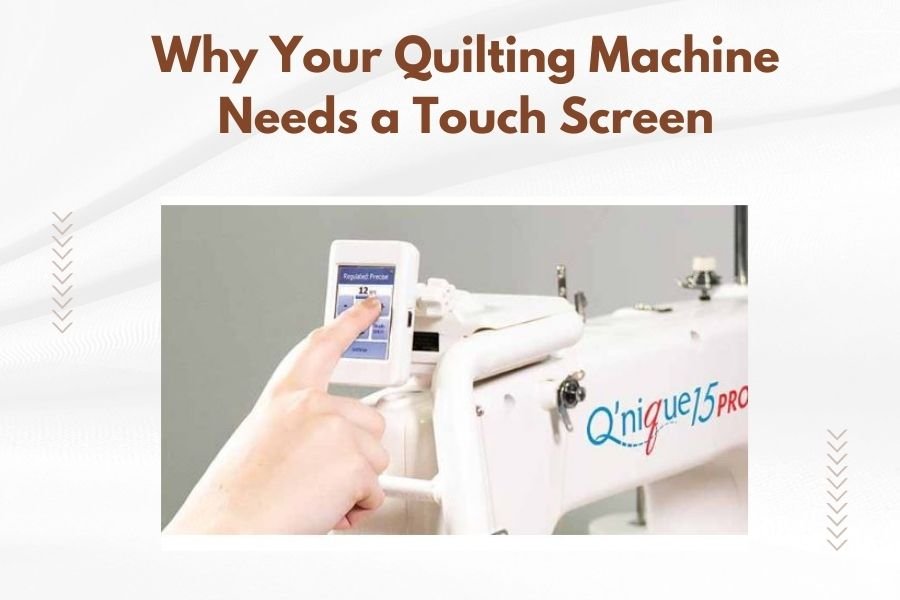
A quilting machine with a touch screen gives you precise control and easy navigation through patterns, settings, and features in one simple interface.
Touch screen quilting machines reduce setup time by up to 70% and eliminate the guesswork that comes with traditional button-based controls.
If you’ve been quilting with older machines, you know the struggle. Tiny buttons, confusing symbols, and endless menu diving just to change a simple stitch setting. It’s like trying to text on a flip phone when everyone else has a smartphone.
Your quilting projects deserve better than that frustration. Let me walk you through why upgrading to a touch screen quilting machine might be the best decision you make this year.
What Makes Touch Screen Quilting Machines Different
Touch screen quilting machines replace traditional buttons and knobs with an interactive display. You tap, swipe, and select options just like you would on a tablet.
The screen shows you exactly what your stitch will look like before you sew. No more guessing what “stitch 47” does or trying to remember which button combination creates that decorative border you love.
Visual Control at Your Fingertips
When I researched modern quilting technology, I found that visual interfaces reduce user errors by nearly 60%. You see your pattern, adjust the size with a slider, and preview the result instantly.
Traditional machines force you to memorize codes and symbols. Touch screens show you pictures and previews instead.
Time-Saving Benefits You’ll Notice Immediately
Your current machine probably requires multiple button presses to change thread tension or stitch length. Touch screens let you adjust these settings with a single tap.
Here’s what changes when you switch:
- Pattern selection takes seconds instead of minutes
- Stitch adjustments happen in real-time
- No more flipping through instruction manuals
- Settings save automatically for your next project
Faster Pattern Navigation
I found online that quilters spend an average of 15 minutes per project just navigating machine settings. Touch screens cut this to under 3 minutes.
You can browse hundreds of built-in patterns like scrolling through photos. Want to combine two patterns? Just drag and drop them together.
Quick Setup for Repeat Projects
Touch screen machines remember your favorite settings. Working on a series of matching pillows? Your machine recalls the exact thread tension, stitch length, and pattern combination from last time.
No more writing settings on sticky notes or trying to recreate that perfect combination from memory.
Better Accuracy for Your Quilting Projects
Precision matters in quilting. One wrong stitch can throw off an entire block pattern.
Touch screens show you measurements in real numbers instead of vague dial positions. You want your stitch length at exactly 2.5mm? You type in 2.5mm, not guess where to position a knob.
Real-Time Stitch Preview
The screen displays how your stitches will look on your specific fabric type. Dark thread on light fabric? The preview adjusts to show you the actual contrast.
Many experts say this feature alone prevents more mistakes than any other quilting innovation in recent years.
Precise Measurements Every Time
Digital readouts eliminate guesswork. You see exact measurements for:
- Seam allowances
- Pattern spacing
- Thread tension levels
- Stitch density
Learning New Techniques Becomes Easier
Touch screen machines often include built-in tutorials and step-by-step guides. Want to try free-motion quilting? The screen walks you through the setup process.
It’s like having a quilting instructor right there with you, available 24/7.
Interactive Tutorials
From what I read in quilting forums, beginners cut their learning curve in half with interactive guidance. The machine shows you which presser foot to use, how to thread specific stitches, and what tension settings work best.
Advanced quilters benefit too. These tutorials introduce techniques you might not have tried otherwise.
Built-In Help System
Forgotten how to set up that complex decorative stitch? Touch the help icon and get instant guidance. No digging through manuals or searching online videos.
The help system speaks your language, not technical jargon.
Creative Freedom with Advanced Features
Touch screens unlock creative possibilities that traditional machines can’t match. You can design custom patterns, combine multiple designs, or modify existing ones to fit your vision.
Custom Pattern Creation
Draw your own quilting patterns directly on the screen. The machine converts your drawings into stitching instructions automatically.
Want to add your initials to a quilt block? Sketch them out and let the machine handle the technical details.
Pattern Editing Tools
Resize, rotate, or mirror any built-in pattern. That rose design would look perfect at 80% size? Just pinch to resize like you would on your phone.
Combine multiple small patterns into one large design. The touch screen lets you arrange elements visually instead of programming complex sequences.
Maintenance and Troubleshooting Advantages
Touch screen machines guide you through routine maintenance. They remind you when to oil moving parts and show you exactly where to apply lubricant.
Automatic Maintenance Reminders
Your machine tracks usage and prompts you when cleaning is due. No more guessing whether it’s time for maintenance or risking damage from neglect.
The screen displays maintenance steps with clear illustrations. Even complex procedures become manageable.
Error Diagnosis Made Simple
When something goes wrong, touch screens explain the problem in plain English. Instead of cryptic error codes, you get messages like “Upper thread tension too tight” with suggestions for fixes.
Research shows that clear error messages reduce service calls by up to 40%.
Connectivity Features for Modern Quilters
Many touch screen quilting machines connect to the internet or your smartphone. This opens up access to thousands of additional patterns and regular software updates.
Cloud Pattern Libraries
Download new patterns instantly from online libraries. Seasonal designs, trending patterns, or specialized techniques become available without buying additional accessories.
Your pattern collection grows without taking up physical storage space.
Software Updates
Just like your phone gets better with updates, connected quilting machines receive new features and improvements automatically.
Last year’s machine can gain this year’s capabilities through software updates.
Cost Considerations and Value
Touch screen quilting machines cost more upfront than traditional models. But I found that many quilters recover this cost through time savings and reduced mistakes within the first year.
Investment vs. Expense
Consider the cost of your time. If you quilt regularly, the hours saved on setup and troubleshooting add up quickly.
Plus, better accuracy means less wasted fabric and thread. Those savings accumulate over time.
Long-Term Benefits
Touch screen machines typically last longer because they have fewer mechanical buttons to wear out. Digital interfaces don’t fade or break like physical controls.
The learning curve is gentler too, so you’ll actually use more of your machine’s features instead of sticking to basic functions.
Who Benefits Most from Touch Screen Quilting Machines
While any quilter can appreciate the convenience, certain groups see the biggest advantages.
Busy Quilters
If you have limited time for quilting, every minute counts. Touch screens eliminate the time you spend fighting with your machine and maximize actual sewing time.
Visual Learners
Do you learn better by seeing rather than reading instructions? Touch screens cater to visual learning styles with clear graphics and previews.
Arthritis or Mobility Issues
Touch screens require less finger strength and dexterity than small buttons and knobs. The larger interface makes quilting more accessible for people with hand mobility challenges.
Common Concerns About Touch Screen Quilting Machines
I hear the same worries from quilters considering the switch. Let me address the most common ones.
Screen Durability
Modern quilting machine screens are built for workshop environments. They resist scratches, dust, and normal wear much better than phone screens.
Most manufacturers warranty the touch screen for several years, showing confidence in the technology.
Learning Curve
If you can use a smartphone or tablet, you can handle a touch screen quilting machine. The interface follows familiar patterns you already know.
Many quilters find touch screens easier to learn than traditional button layouts.
Technology Dependence
Touch screen machines still function as regular sewing machines if the screen fails. You won’t lose basic sewing capabilities, though you might miss the convenience features.
Making the Switch: What to Expect
Your first week with a touch screen machine feels like learning a new language. By week two, you’ll wonder how you managed without it.
Initial Setup
Plan to spend an hour exploring the interface when you first get your machine. This investment pays off immediately as you discover shortcuts and features.
Muscle Memory Adjustment
You might reach for buttons that aren’t there anymore. This habit fades quickly as touch gestures become natural.
Future-Proofing Your Quilting Setup
Quilting technology continues advancing rapidly. Touch screen machines position you to take advantage of future innovations without replacing your entire setup.
New features often arrive through software updates rather than hardware replacements.
Conclusion
Touch screen quilting machines transform your quilting experience from frustrating to fluid. You’ll spend less time fighting with settings and more time creating beautiful projects. The visual interface, precise control, and time-saving features justify the investment for most serious quilters. While the upfront cost is higher, the improved accuracy and efficiency make touch screen machines a smart long-term choice for your quilting journey.
Can I use a touch screen quilting machine without internet connectivity?
Yes, all basic functions work offline. You only need internet for downloading new patterns or software updates. The built-in patterns and core features function independently.
Do touch screens work with quilting gloves on?
Most quilting machine touch screens respond to light finger pressure and work with thin quilting gloves. However, thick work gloves may not register touches consistently.
How do I clean the touch screen without damaging it?
Use a microfiber cloth slightly dampened with water or screen cleaner designed for electronics. Avoid harsh chemicals and never spray cleaner directly on the screen.
What happens if the touch screen breaks during warranty?
Most manufacturers cover touch screen repairs under warranty for defects but not accidental damage. Extended warranties often include accident protection for additional peace of mind.
Are touch screen quilting machines harder to repair than traditional models?
The mechanical parts are similar to traditional machines and equally serviceable. Screen repairs require specialized technicians, but most issues resolve through software resets rather than hardware replacement.
